Classroom & live online80 HoursVerifiable certificateSyllabus ↓
Photoshop for Graphics Design Course
Master Adobe Photoshop for graphic design: layers, masks, retouching, posters and social media creatives.
Your roadmap — from admission to certificate
1
Free counselling
Talk to our counsellor — choose the right course, batch time and mode.
2
Admission
Join at a CADD centre near you or online. You get your student login and ID card.
3
Learn step by step
80 Hours of hands-on Photoshop for Graphics Design classes — in the classroom or live online.
Introduction of PhotoshopDocument windowWorking with selection ToolsTransforming a selectionSetting the current Foreground and Background color through pen toolPaint or Brush ToolUnderstanding color modeWorking with Layer in PhotoshopLayer style and Filter Effects3D and printing in Photoshop
4
Practice & project
Exercises in every class and a final project, checked by your trainer.
5
Course completion certificate + completion badge
Finish the course and get your course-completion certificate and a digital completion badge with your name.
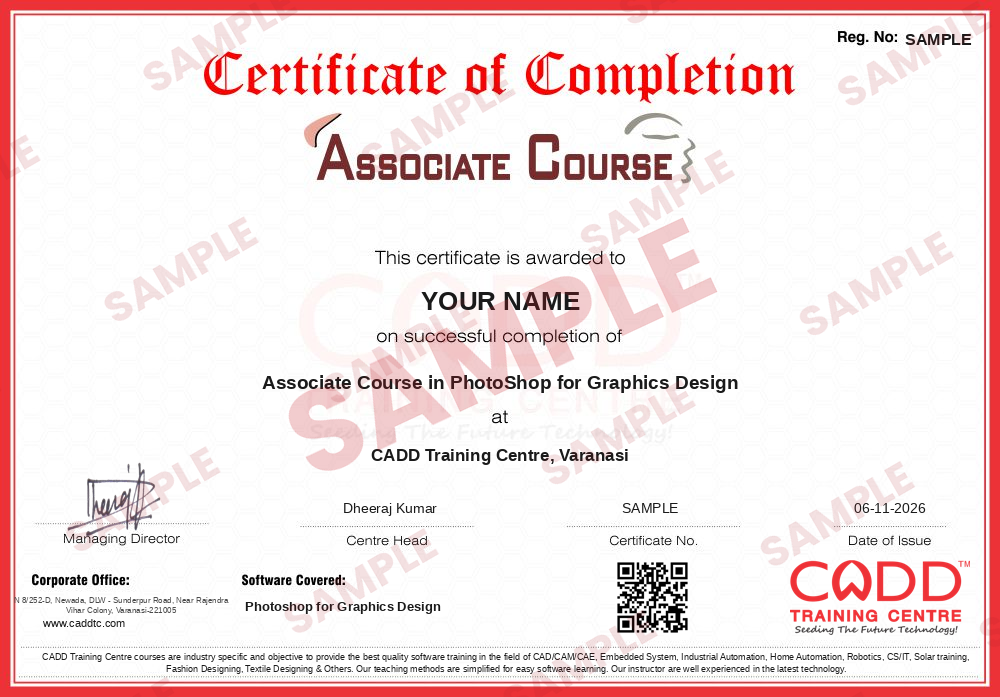
Course-completion certificate (sample) — Associate Course in PhotoShop for Graphics Design · verifiable online
Course-completion badge
Course
Associate Course in PhotoShop for Graphics Design
Issued by
CADD Training Cetre
Training
Classroom or live online
How to earn
Complete the course and its project
With your name and year · its own verify link · “Add to profile” on LinkedIn
6
Certification exam
Take the certification exam: a theory test and a practical task — at the centre or online.
7
Certified certificate + marksheet
Pass the exam and get the certified certificate with your marksheet. Anyone can check it online with its QR code.
8
Certified badge
Your certified badge — add it to LinkedIn and share it anywhere; it opens its own verify page.
Certified badge
Course
Associate Course in PhotoShop for Graphics Design
Issued by
CADD Training Cetre
Training
Classroom or live online
How to earn
Pass the certification exam
You also get
Certified certificate + marksheet
With your name and year · its own verify link · “Add to profile” on LinkedIn
9
Make your CV & apply for jobs
Make your CV in your student panel (Career → My CV) — your course, certificates and projects are added for you. Send it as a link with a preview picture, and apply to jobs and Hire Me requests from companies.
Adobe Photoshop CC is a photo, image, and design editing software built for professional designers, photographers, and artists. The imaging and design app is a part of Adobe Creative Cloud service, and allows users to design websites, mobile apps, posters, banners, and icons through the aid of its easy-to-use templates and intuitive tools. It also provides professional photography tools which help create and enhance pictures, transforming them into amazing works of art.
You will be able to
Use Photoshop layers, adjustment layers and masks for non-destructive editing
Retouch and restore photographs with healing, clone and content-aware tools
Design posters, banners and social media creatives to the right size
Combine images into composites using selections and blending modes
Work with typography, layer styles and smart objects in layouts
Prepare and export files correctly for print and for the web
Build a graphic design portfolio from your course projects
Who it is for
Students who want to start a career in graphic design
Photographers who need professional editing and retouching
Marketing and social media staff who make creatives
Fine arts and design students building a portfolio
Small business owners designing their own promotions
What you need
Basic computer skills; no design experience needed
Interest in colour, layout and visual design
For live online classes: a PC or Mac with 8 GB RAM and a stable internet connection
Courses that include Photoshop for Graphics Design
Associate Course in PhotoShop for Graphics DesignAssociate Course · 80 Hours
05Setting the current Foreground and Background color through pen tool8 topics+
Color picker Dialog Box
Everydropper Tool
Color palette
Swathes palette
Drawing Tools Using Ellipse Tool
Custom shape
Pen tool
Painting Tools And Gradient Tool
06Paint or Brush Tool15 topics+
Paint Bucket Tool
Brush Tool
Pencil Tool
Color Replacement Tool
Retouching Tools
Spot Healing Brush Tool
Healing Brush Tool
Patch Tool
Pattern stamp Tool
Eraser Tools
Background Eraser and Mugic Eraser Tool
Blur Tool
Smudge Tool
Dodge Tool
Burn and sponge Tool
07Understanding color mode9 topics+
RGB Color Mode
CMYK
Grayscale
Changing the Color Mode
Making Color Adjustments
Color Levels
Curves palette
Brightness/Contrast Palette
Hue/Saturation, Histogram Palette
08Working with Layer in Photoshop17 topics+
About the LAYERS Palette
Working with Layers
Creating a New Layer
Hiding and Showing Layers
Deleting Layers, Deleting a Layer using Layer Menu
Changing the Stacking Order of the Layer
Relocating Layers in the Image
Merging Layers
Flattening Images
Moving Layers between Images
Linking and Un linking Layers
Working with Adjustment Layers
Applying blend Modes
Masking Layers
Layer Masking
Vector Masking Type Masking
Shape Masking
09Layer style and Filter Effects15 topics+
Layer style and layer style Dialog
Apply a layer style
Copy style clearing style
Creating layer from of layers styles
Using filters, About smart objects and filtera
Creating a smart object
Editing smart objects
Filter gallery
Apply the mosaic tiles filter, liquefy filter
Apply the vanishing point filter
Applying the Artistic Filters
Applying the blure Filters
Applying the Brush stocke Filters
Distort and Noise Filters
Sketch Filters ,Render Filters
103D and printing in Photoshop7 topics+
Creating a action
Performing photo merge in Photoshop
Text editing and Photoshop
Finding and replacing text
Creating 3D Atwork in Photoshop
Creating 3D shape and Editing 3D shape
Loading a new Texture to 3D shape
11Exporting formats1 topic+
PSD, Eps, jpeg, Gift, Tiff, BMP, TNG, etc
Ratings & reviews
Students rate the course after they finish it — their ratings appear here.
Photoshop for Graphics Design course — FAQ
What is Photoshop used for in graphic design?
Graphic designers use Photoshop to edit photos, build composites and design posters, banners, social media posts, website mock-ups and icons. It is the standard tool for pixel-based (raster) design work.
Can a beginner learn Photoshop for graphic design?
Yes. The course starts from the workspace and basic tools, so beginners with simple computer skills can follow. Interest in visual design helps more than any earlier experience.
How long does the Photoshop for Graphic Design course take?
The course runs for 80 hours, which leaves enough time for tools, design principles and several portfolio projects.
Can I learn Photoshop in live online classes?
Yes. Photoshop for Graphics Design is taught live online as well as in CADD Training Centre classrooms. Online, you design the same posters and creatives on your PC while the trainer reviews them.
Do I get a certificate after completing the Photoshop course?
Yes. After the Photoshop for Graphics Design course and assessment you get a CADD Training Centre certificate that a design agency can verify online through its QR code.
What jobs can I get after learning Photoshop?
Photoshop skills lead to roles such as graphic designer, photo editor, social media designer, print and DTP designer and junior visual designer. Our team provides career guidance and placement support.
Should I learn Photoshop or Illustrator first?
Many students start with Photoshop because photo editing feels familiar, then add Adobe Illustrator for logos and vector artwork. Together they cover most graphic design jobs.