Classroom & live online 60 Hours Verifiable certificate Syllabus ↓

Adobe Premiere Pro Course

Learn video editing in Adobe Premiere Pro: timeline editing, audio, titles, Lumetri colour and export.

Your roadmap — from admission to certificate

  1. Free counselling

    Talk to our counsellor — choose the right course, batch time and mode.

  2. Admission

    Join at a CADD centre near you or online. You get your student login and ID card.

  3. Learn step by step

    60 Hours of hands-on Adobe Premiere Pro classes — in the classroom or live online.

    Getting Started with Premiere ProBasic Editing on the TimelineAdvanced Trimming and EditingAudio EditingTransitions, Effects and MotionSpeed, Stabilisation and CompositingTitles, Graphics and CaptionsColour Correction and GradingExporting and DeliveryEditing Projects
  4. Practice & project

    Exercises in every class and a final project, checked by your trainer.

  5. Course completion certificate + completion badge

    Finish the course and get your course-completion certificate and a digital completion badge with your name.
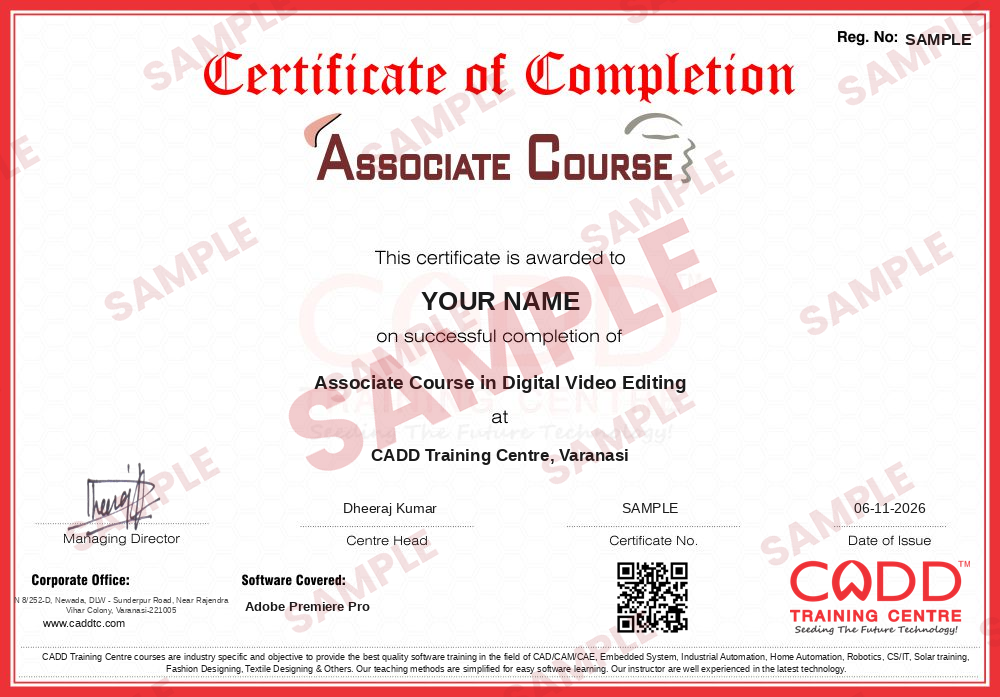
    Sample course-completion certificate — Associate Course in Digital Video Editing
    Course-completion certificate (sample) — Associate Course in Digital Video Editing · verifiable online
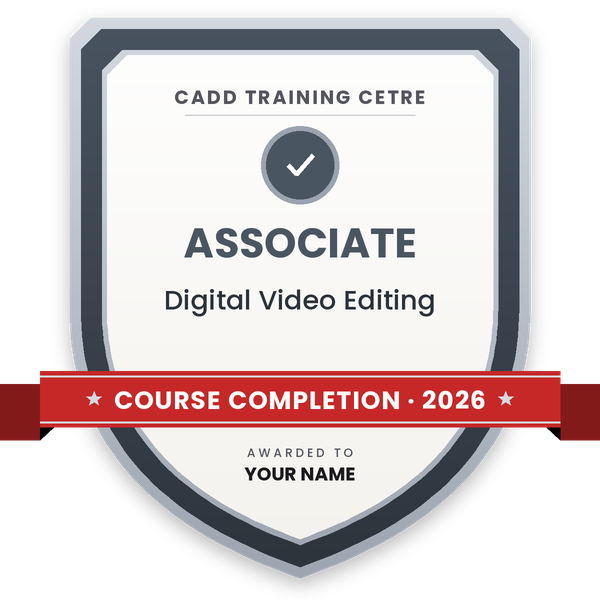
    Course-completion badge — Associate Course in Digital Video Editing
    Course-completion badge
    Course
    Associate Course in Digital Video Editing
    Issued by
    CADD Training Cetre
    Training
    Classroom or live online
    How to earn
    Complete the course and its project
    With your name and year · its own verify link · “Add to profile” on LinkedIn
  6. Certification exam

    Take the certification exam: a theory test and a practical task — at the centre or online.

  7. Certified certificate + marksheet

    Pass the exam and get the certified certificate with your marksheet. Anyone can check it online with its QR code.

  8. Certified badge

    Your certified badge — add it to LinkedIn and share it anywhere; it opens its own verify page.
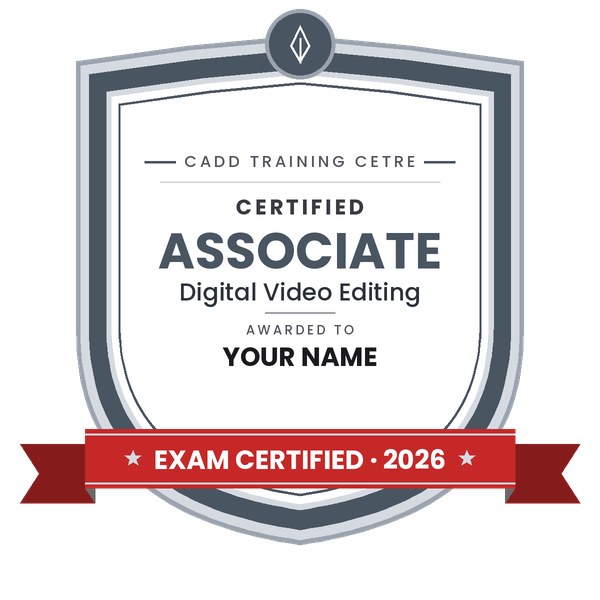
    Certified badge — Associate Course in Digital Video Editing
    Certified badge
    Course
    Associate Course in Digital Video Editing
    Issued by
    CADD Training Cetre
    Training
    Classroom or live online
    How to earn
    Pass the certification exam
    You also get
    Certified certificate + marksheet
    With your name and year · its own verify link · “Add to profile” on LinkedIn
  9. Make your CV & apply for jobs

    Make your CV in your student panel (Career → My CV) — your course, certificates and projects are added for you. Send it as a link with a preview picture, and apply to jobs and Hire Me requests from companies.

About the Adobe Premiere Pro course

Adobe Premiere Pro is professional video editing software used for YouTube channels, films, advertisements, news, wedding and event films, corporate videos and social media reels. Editors use it to cut and arrange footage on a timeline, clean and mix audio, add titles and captions, correct colour and export videos for any platform.

This 60-hour course begins with the essentials of video, such as frame rate, resolution and aspect ratio, before setting up projects, bins and sequences. You learn timeline editing with insert, overwrite and razor tools, then advanced trimming with ripple, roll, slip and slide edits, J and L cuts, nesting and multi-camera editing. Audio work uses the Essential Sound panel for dialogue, music and noise reduction. Further chapters cover transitions, keyframe animation in Effect Controls, masks, speed changes, Warp Stabilizer and green screen, titles and captions with the Essential Graphics and Text panels, and colour grading with Lumetri Color and scopes. Export and delivery for YouTube, Instagram and clients round off the technical part. You build three portfolio projects, a YouTube video, a social reel and an event or corporate video, in CADD classrooms or live online.

The skills support roles such as video editor, YouTube editor, social media video creator and post-production assistant, as well as freelance work. Adobe After Effects is the natural next course for motion graphics and visual effects.

You will be able to

  • Set up projects, sequences and bins and organise footage efficiently
  • Edit on the timeline with ripple, roll, slip, slide and razor tools
  • Clean and mix dialogue, music and effects with the Essential Sound panel
  • Animate effects, transitions and motion with keyframes in Effect Controls
  • Create titles, lower thirds and captions with the Essential Graphics and Text panels
  • Colour-correct and grade footage with Lumetri Color and video scopes
  • Export videos for YouTube, Instagram and clients with the right formats and presets

Who it is for

  • Beginners who want to start a career in video editing
  • YouTubers, vloggers and social media content creators
  • Graphic designers adding video to their skill set
  • Wedding, event and corporate video editors who want a structured workflow

What you need

  • Basic computer skills and file management
  • Interest in video, storytelling or content creation
  • A PC or Mac with 16 GB RAM and a dedicated graphics card for live online classes

Courses that include Adobe Premiere Pro

Associate Course in Digital Video EditingAssociate Course · 60 Hours
Enquire →
Graphic Designer – Professional Career ProgramProfessional Career Program · 280 Hours · 4 software
Enquire →
Video Editor – Professional Career ProgramProfessional Career Program · 220 Hours · 4 software
Enquire →

Adobe Premiere Pro Syllabus

10 chapters · 48 topics
01 Getting Started with Premiere Pro 5 topics
  1. Video editing basics: frame rate, resolution, aspect ratio
  2. Workspaces and panels
  3. Creating projects and scratch disks
  4. Importing media and supported formats
  5. Project panel, bins and metadata
02 Basic Editing on the Timeline 5 topics
  1. Creating sequences that match footage
  2. Source monitor, in and out points
  3. Insert and overwrite edits
  4. Selection, razor and track select tools
  5. Ripple delete, markers and snapping
03 Advanced Trimming and Editing 5 topics
  1. Ripple, roll, slip and slide edits
  2. Trim mode and keyboard shortcuts
  3. J and L cuts
  4. Nesting and subclips
  5. Multi-camera editing
04 Audio Editing 5 topics
  1. Audio tracks, levels and the audio track mixer
  2. Essential Sound panel: dialogue, music, SFX
  3. Noise reduction and audio cleanup
  4. Audio keyframes and ducking
  5. Syncing external audio
05 Transitions, Effects and Motion 5 topics
  1. Video and audio transitions
  2. Effect Controls: position, scale, rotation, opacity
  3. Keyframe animation and easing
  4. Masks and blend modes
  5. Adjustment layers
06 Speed, Stabilisation and Compositing 4 topics
  1. Speed/duration and time remapping
  2. Warp Stabilizer
  3. Green screen with Ultra Key
  4. Picture-in-picture and split screens
07 Titles, Graphics and Captions 5 topics
  1. Text tool and Essential Graphics panel
  2. Lower thirds and title templates
  3. Motion graphics templates
  4. Speech to Text and captions
  5. Exporting captions and subtitles
08 Colour Correction and Grading 5 topics
  1. Lumetri Color panel basics
  2. Exposure, white balance and contrast
  3. Curves, colour wheels and HSL secondary
  4. Using LUTs and creative looks
  5. Lumetri scopes
09 Exporting and Delivery 5 topics
  1. Export settings, codecs and bitrate
  2. H.264 presets for YouTube and social media
  3. Exporting vertical and square videos
  4. Adobe Media Encoder queue
  5. Project archiving with Project Manager
10 Editing Projects 4 topics
  1. Project: YouTube video with titles and music
  2. Project: short reel for social media
  3. Project: event or corporate video
  4. Portfolio review and assessment

Ratings & reviews

Students rate the course after they finish it — their ratings appear here.

Adobe Premiere Pro course — FAQ

What is Adobe Premiere Pro used for?

Adobe Premiere Pro is professional video editing software used for YouTube videos, films, ads, wedding videos, news and social media reels. It handles cutting, audio, titles, colour and export.

Can a beginner learn Premiere Pro?

Yes. The course starts with video basics and simple timeline edits, so beginners with only basic computer skills can follow along and edit full videos by the end.

How long is the Premiere Pro course?

The Adobe Premiere Pro course is 60 hours long, including hands-on editing in every class and three portfolio projects.

Can I learn video editing online?

Yes. You can join a classroom batch at a CADD centre or live online classes. For online learning, use a computer that can run Premiere Pro smoothly.

Do I get a certificate for the Premiere Pro course?

Yes. A CADD Training Centre certificate is issued after the Premiere Pro course and can be checked online by QR code or verification code. Your three edited projects form your showreel.

What jobs can I get after learning Premiere Pro?

Premiere Pro skills lead to roles such as video editor, YouTube editor, social media video creator, wedding film editor and post-production assistant, as well as freelance work.

What computer do I need for Premiere Pro?

A computer with 16 GB RAM, a recent multi-core processor, SSD storage and a dedicated graphics card works well. More RAM helps with 4K footage and longer projects.

Should I learn Premiere Pro or After Effects first?

Learn Premiere Pro first, because it is the main editing tool. After Effects is used for motion graphics and visual effects and is a good next course after Premiere Pro.

More questions? Ask our counsellor or read the general FAQ.

Adobe Premiere Pro60 Hours
Enquire now