Classroom & live online 60 Hours Verifiable certificate Syllabus ↓

Figma Course

Figma UI/UX course: wireframes, frames, layout grids, components, variants, auto layout, prototyping, design systems and handoff.

Your roadmap — from admission to certificate

  1. Free counselling

    Talk to our counsellor — choose the right course, batch time and mode.

  2. Admission

    Join at a CADD centre near you or online. You get your student login and ID card.

  3. Learn step by step

    60 Hours of hands-on Figma classes — in the classroom or live online.

    Introduction to UI/UX and FigmaUX Research and WireframingDesign Basics in FigmaFrames, Layout Grids and ConstraintsAuto LayoutComponents and VariantsStyles and VariablesPrototypingUsability Testing and AccessibilityDesign Systems and Developer Handoff
  4. Practice & project

    Exercises in every class and a final project, checked by your trainer.

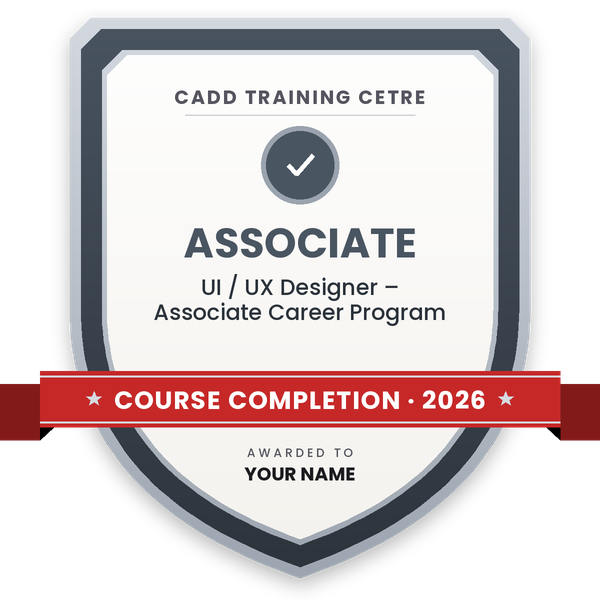
  5. Course completion certificate + completion badge

    Finish the course and get your course-completion certificate and a digital completion badge with your name.

    Sample course-completion certificate — UI / UX Designer – Associate Career Program
    Course-completion certificate (sample) — UI / UX Designer – Associate Career Program · verifiable online
    Course-completion badge — UI / UX Designer – Associate Career Program
    Course-completion badge
    Course
    UI / UX Designer – Associate Career Program
    Issued by
    CADD Training Cetre
    Training
    Classroom or live online
    How to earn
    Complete the course and its project
    With your name and year · its own verify link · “Add to profile” on LinkedIn
  6. Certification exam

    Take the certification exam: a theory test and a practical task — at the centre or online.

  7. Certified certificate + marksheet

    Pass the exam and get the certified certificate with your marksheet. Anyone can check it online with its QR code.

  8. Certified badge

    Your certified badge — add it to LinkedIn and share it anywhere; it opens its own verify page.

    Certified badge — UI / UX Designer – Associate Career Program
    Certified badge
    Course
    UI / UX Designer – Associate Career Program
    Issued by
    CADD Training Cetre
    Training
    Classroom or live online
    How to earn
    Pass the certification exam
    You also get
    Certified certificate + marksheet
    With your name and year · its own verify link · “Add to profile” on LinkedIn
  9. Make your CV & apply for jobs

    Make your CV in your student panel (Career → My CV) — your course, certificates and projects are added for you. Send it as a link with a preview picture, and apply to jobs and Hire Me requests from companies.

About the Figma course

Figma is a browser-based design tool used to plan, design and prototype websites and mobile apps. Designers, product managers and developers can work in the same file at the same time, comment on screens and pick up exact sizes, colours and assets for development. Start-ups, IT companies, digital agencies and product teams use it as their main tool for UI and UX design.

This 60-hour course covers both the tool and the design process. You learn UX basics such as user research, personas and user flows, sketch ideas as low-fidelity wireframes, then build screens with frames, shapes, the pen tool, text and colour styles, layout grids and constraints. You create responsive designs with auto layout, make reusable components with variants and properties, and organise colours, spacing and modes with variables. Prototyping chapters cover interactions, transitions, Smart Animate, overlays and scrolling, followed by simple usability testing. You then put together a small design system and shared library, and learn developer handoff with Dev Mode, inspect values and asset export.

Classes run in the classroom at CADD centres or in live online classes, and the centre provides the software and accounts for practice. You finish with a complete mobile app or website case study for your portfolio and receive a CADD Training Centre certificate that can be verified online after the assessment.

The skills support roles such as UI designer, UX designer and product designer. Learners often add HTML and CSS or a graphic design course to round out their profile.

You will be able to

  • Apply the UX process: research, personas, user flows and wireframes
  • Design screens with frames, shapes, the pen tool, text and colour styles
  • Use layout grids, constraints and auto layout for responsive web and app layouts
  • Build reusable components with variants, properties and variables
  • Create interactive prototypes with transitions, Smart Animate and overlays
  • Set up a basic design system and shared team library
  • Hand off designs to developers using Dev Mode, inspect values and asset export

Who it is for

  • Students of design, fine arts, computer science and IT
  • Graphic designers who want to move into UI/UX
  • Web and app developers who want design skills
  • Product managers and start-up founders who plan apps and websites

What you need

  • Basic computer and internet skills
  • An eye for layout and colour is helpful; no coding is needed
  • For live online classes: a PC or laptop with a modern browser and a stable internet connection

Courses that include Figma

UI / UX Designer – Associate Career ProgramAssociate Career Program · 200 Hours · 3 software
Enquire →
UI / UX Designer – Professional Career ProgramProfessional Career Program · 300 Hours · 5 software
Enquire →

Figma Syllabus

11 chapters · 60 topics
01 Introduction to UI/UX and Figma 5 topics
  1. Difference between UI and UX
  2. Where Figma fits in the design process
  3. Figma accounts, teams, projects and files
  4. Interface: canvas, layers, toolbar and properties panel
  5. Pages, frames and basic navigation
02 UX Research and Wireframing 5 topics
  1. User research methods and interviews
  2. Personas and user journeys
  3. Information architecture and user flows
  4. Low-fidelity wireframes
  5. Using FigJam for brainstorming and flows
03 Design Basics in Figma 6 topics
  1. Shapes, boolean operations and masks
  2. Pen tool and vector editing
  3. Text, typography and type scale
  4. Colour, gradients and colour contrast
  5. Images, effects and blending
  6. Export settings for icons and images
04 Frames, Layout Grids and Constraints 5 topics
  1. Device frames for mobile, tablet and desktop
  2. Column, row and baseline grids
  3. Constraints for resizing
  4. Spacing systems and alignment
  5. Groups versus frames
05 Auto Layout 6 topics
  1. Creating auto layout frames
  2. Padding, spacing and alignment
  3. Hug, fill and fixed sizing
  4. Nested auto layout for cards and lists
  5. Responsive buttons, forms and navigation bars
  6. Wrap and absolute positioning
06 Components and Variants 6 topics
  1. Main components and instances
  2. Overrides and swapping instances
  3. Variants for states and sizes
  4. Component properties: boolean, text and instance swap
  5. Building buttons, inputs and cards as components
  6. Organising a component page
07 Styles and Variables 5 topics
  1. Colour, text, effect and grid styles
  2. Variables for colour, number and spacing
  3. Modes for light and dark themes
  4. Applying variables across designs
  5. Naming conventions
08 Prototyping 6 topics
  1. Connections, triggers and actions
  2. Transitions and Smart Animate
  3. Overlays, modals and dropdowns
  4. Scrolling and fixed elements
  5. Interactive components
  6. Presenting and sharing prototypes
09 Usability Testing and Accessibility 5 topics
  1. Planning a simple usability test
  2. Collecting and acting on feedback
  3. Accessibility basics: contrast, text size and touch targets
  4. Iterating designs after testing
  5. Comments and collaboration in Figma
10 Design Systems and Developer Handoff 6 topics
  1. Structure of a design system
  2. Publishing and using team libraries
  3. Documenting components
  4. Dev Mode and inspect panel
  5. Exporting assets and sharing specs
  6. Useful Figma plugins
11 UI/UX Case Study Project 5 topics
  1. Project brief: mobile app or website
  2. Research, personas and user flows
  3. Wireframes and high-fidelity screens
  4. Components and interactive prototype
  5. Portfolio case study presentation

Ratings & reviews

Students rate the course after they finish it — their ratings appear here.

Figma course — FAQ

What is Figma used for?

Figma is used to design user interfaces for websites and mobile apps, create wireframes and interactive prototypes, build design systems and share designs with developers, all in one collaborative tool.

Who can join the Figma course?

Design, IT and computer science students, graphic designers, developers and product managers can join. No coding knowledge is needed, only basic computer skills.

How long is the Figma course?

The Figma course is 60 hours long, covering UX basics, wireframes, auto layout, components, prototyping, design systems, handoff and a portfolio case study.

Can I learn Figma online?

Yes. Figma classes run in CADD Training Centre classrooms and live online. Figma works in a browser, and the centre provides the software and accounts needed for practice.

What is the difference between UI and UX design?

UX design is about how a product works for the user, through research, flows and testing. UI design is about how it looks, including layout, colour, type and components. This course covers both.

Is there a certification exam for Figma?

This course does not include a global certification exam. You complete an internal theory and practical assessment and receive a CADD Training Centre certificate that can be verified online.

More questions? Ask our counsellor or read the general FAQ.

Figma60 Hours
Enquire now