Classroom & live online 60 Hours Verifiable certificate Syllabus ↓

Arduino Course

Learn Arduino programming and electronics: sensors, motors, displays, serial, IoT basics and projects.

Your roadmap — from admission to certificate

  1. Free counselling

    Talk to our counsellor — choose the right course, batch time and mode.

  2. Admission

    Join at a CADD centre near you or online. You get your student login and ID card.

  3. Learn step by step

    60 Hours of hands-on Arduino classes — in the classroom or live online.

    Introduction to Arduino and ElectronicsArduino IDE and Programming BasicsDigital Input and OutputAnalog Input and PWMSensorsDisplaysMotors and ActuatorsCommunication ProtocolsInterrupts, Timers and LibrariesIoT with Arduino
  4. Practice & project

    Exercises in every class and a final project, checked by your trainer.

  5. Course completion certificate + completion badge

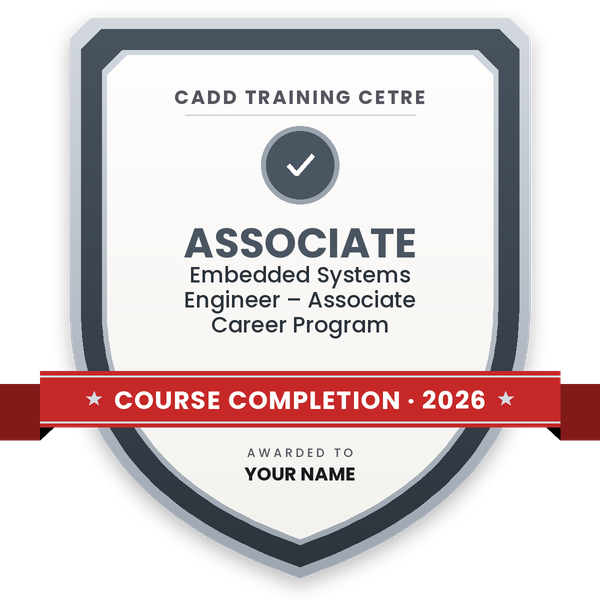
    Finish the course and get your course-completion certificate and a digital completion badge with your name.
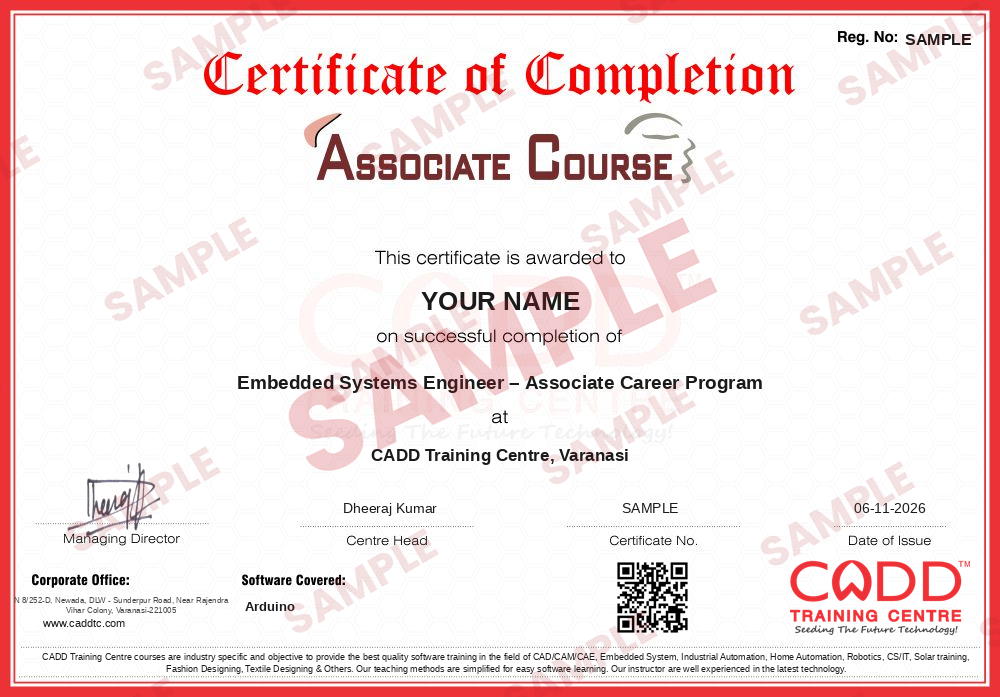
    Sample course-completion certificate — Embedded Systems Engineer – Associate Career Program
    Course-completion certificate (sample) — Embedded Systems Engineer – Associate Career Program · verifiable online
    Course-completion badge — Embedded Systems Engineer – Associate Career Program
    Course-completion badge
    Course
    Embedded Systems Engineer – Associate Career Program
    Issued by
    CADD Training Cetre
    Training
    Classroom or live online
    How to earn
    Complete the course and its project
    With your name and year · its own verify link · “Add to profile” on LinkedIn
  6. Certification exam

    Take the certification exam: a theory test and a practical task — at the centre or online.

  7. Certified certificate + marksheet

    Pass the exam and get the certified certificate with your marksheet. Anyone can check it online with its QR code.

  8. Certified badge

    Your certified badge — add it to LinkedIn and share it anywhere; it opens its own verify page.
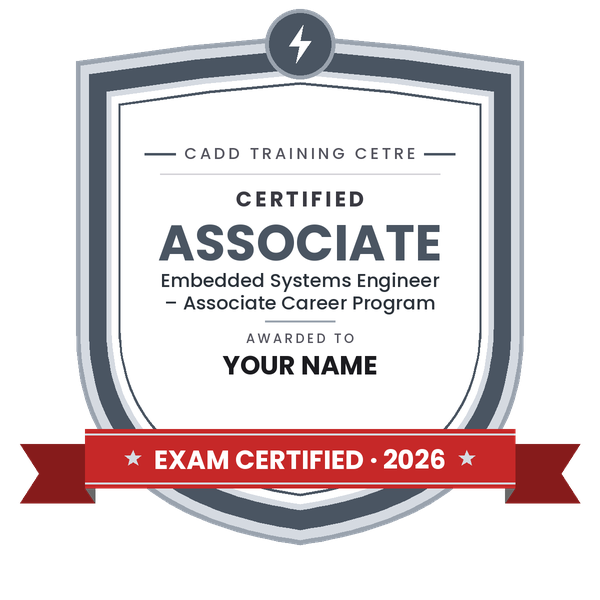
    Certified badge — Embedded Systems Engineer – Associate Career Program
    Certified badge
    Course
    Embedded Systems Engineer – Associate Career Program
    Issued by
    CADD Training Cetre
    Training
    Classroom or live online
    How to earn
    Pass the certification exam
    You also get
    Certified certificate + marksheet
    With your name and year · its own verify link · “Add to profile” on LinkedIn
  9. Make your CV & apply for jobs

    Make your CV in your student panel (Career → My CV) — your course, certificates and projects are added for you. Send it as a link with a preview picture, and apply to jobs and Hire Me requests from companies.

About the Arduino course

Arduino is an open-source electronics platform made up of easy-to-use microcontroller boards, such as the Arduino Uno, and the Arduino IDE for writing and uploading code. Students, hobbyists, engineers and product developers use it to build prototypes that read sensors, control motors and lights, show data on displays and connect to the internet, which makes it a popular first step into embedded systems, robotics and IoT.

This 60-hour Arduino course starts with basic electronics and Arduino C/C++ programming and moves on to digital and analog input/output, PWM, sensors, displays, motors, serial communication, I2C and SPI devices, interrupts and timers, and wireless and IoT modules. Every topic is practised hands-on with real components and circuits, along with mini projects that build up to a final project. You can learn in the classroom at a CADD centre or in live online classes.

Arduino skills help with embedded systems internships, robotics, IoT prototyping and final-year projects. A natural next step is Proteus for circuit simulation and PCB design, or a deeper embedded C and microcontroller course.

You will be able to

  • Explain how a microcontroller board works and set up the Arduino IDE
  • Write Arduino sketches using variables, functions, loops and conditions
  • Read digital and analog inputs from switches and sensors
  • Control LEDs, relays, buzzers and motors using digital outputs and PWM
  • Display data on serial monitor, LCD and OLED screens
  • Interface I2C and SPI modules and use interrupts and timers
  • Build and present a working Arduino or IoT project

Who it is for

  • Electronics, electrical, instrumentation and computer science students
  • Diploma and ITI students in electronics trades
  • School students and hobbyists interested in robotics
  • Engineers who want to prototype embedded and IoT ideas

What you need

  • Basic computer skills; no programming experience is needed
  • Basic knowledge of voltage, current and resistance is helpful
  • For live online classes: a PC or laptop with a USB port and an Arduino kit for practice

Courses that include Arduino

Embedded Systems Engineer – Associate Career ProgramAssociate Career Program · 220 Hours · 3 software
Enquire →
Embedded Systems Engineer – Professional Career ProgramProfessional Career Program · 320 Hours · 5 software
Enquire →

Arduino Syllabus

11 chapters · 45 topics
01 Introduction to Arduino and Electronics 4 topics
  1. What a microcontroller is
  2. Arduino boards: Uno, Nano and Mega
  3. Basic components: resistors, LEDs, capacitors, breadboard
  4. Ohm's law and safe circuit practice
02 Arduino IDE and Programming Basics 5 topics
  1. Installing the Arduino IDE and board drivers
  2. Sketch structure: setup() and loop()
  3. Variables, data types and operators
  4. Conditions, loops and functions
  5. Uploading code and using the serial monitor
03 Digital Input and Output 4 topics
  1. pinMode, digitalWrite and digitalRead
  2. LED patterns and traffic light project
  3. Push buttons, pull-up and pull-down resistors
  4. Switch debouncing
04 Analog Input and PWM 4 topics
  1. analogRead and the ADC
  2. Potentiometer and LDR
  3. analogWrite and PWM
  4. LED dimming and RGB LED control
05 Sensors 4 topics
  1. Temperature and humidity sensor (DHT11/DHT22)
  2. Ultrasonic distance sensor
  3. IR and PIR motion sensors
  4. Gas and soil moisture sensors
06 Displays 4 topics
  1. 16x2 LCD interfacing
  2. I2C LCD module
  3. OLED display
  4. Seven-segment displays
07 Motors and Actuators 4 topics
  1. DC motors with motor driver (L298N)
  2. Servo motor control
  3. Stepper motor control
  4. Relays for AC loads
08 Communication Protocols 4 topics
  1. UART serial communication
  2. I2C devices
  3. SPI devices
  4. Bluetooth module (HC-05)
09 Interrupts, Timers and Libraries 4 topics
  1. millis() and non-blocking code
  2. External interrupts
  3. Using and installing libraries
  4. EEPROM basics
10 IoT with Arduino 4 topics
  1. Wi-Fi modules and ESP8266/ESP32 basics
  2. Sending sensor data to a cloud dashboard
  3. Controlling devices from a phone
  4. Basic IoT security practices
11 Projects 4 topics
  1. Home automation project
  2. Obstacle-avoiding robot
  3. Weather monitoring station
  4. Final project build, testing and presentation

Ratings & reviews

Students rate the course after they finish it — their ratings appear here.

Arduino course — FAQ

What is Arduino used for?

Arduino is used to build electronic projects and prototypes that sense and control the physical world, such as home automation, robots, weather stations, security alarms and IoT devices.

Who can join the Arduino course?

Electronics, electrical and computer students, diploma and ITI learners, school students interested in robotics and working engineers can join. No programming background is required to start.

How long is the Arduino course?

The Arduino course is 60 hours long, covering electronics basics, programming, sensors, motors, communication and IoT, with mini projects and a final project.

Can I learn Arduino in online classes?

You can choose either: a CADD centre classroom or live online Arduino classes, where you build the circuits with your own Arduino kit while the trainer checks them on camera.

Will I get a certificate after the Arduino course?

Yes. The Arduino certificate from CADD Training Centre is easy to check: an electronics or IoT company can scan its QR code or type the code into the online verification page.

What career options does Arduino open?

Arduino builds a base for embedded systems trainee, IoT developer, robotics trainer, electronics prototyping and R&D assistant roles, and strongly supports final-year engineering projects.

Which programming language does Arduino use?

Arduino sketches are written in C/C++ with Arduino's simple built-in functions such as digitalWrite and analogRead. The course teaches the language from scratch.

Do I need to buy an Arduino kit?

For classroom sessions you can practise on the centre's kits. For live online classes, or for practice at home, a starter kit with an Arduino Uno, breadboard, sensors and modules is recommended.

More questions? Ask our counsellor or read the general FAQ.

Arduino60 Hours
Enquire now