Classroom & live online20 HoursVerifiable certificateSyllabus ↓
Solidworks for Mold Design Course
Learn SolidWorks Mold Tools: draft and undercut checks, parting lines, shut-off surfaces and core-cavity split.
Your roadmap — from admission to certificate
1
Free counselling
Talk to our counsellor — choose the right course, batch time and mode.
2
Admission
Join at a CADD centre near you or online. You get your student login and ID card.
3
Learn step by step
20 Hours of hands-on Solidworks for Mold Design classes — in the classroom or live online.
Introduction to Mold DesignPart Analysis and PreparationParting Lines and Shut-off SurfacesParting Surfaces and Tooling SplitSide Cores and Advanced FeaturesMold Design Project
4
Practice & project
Exercises in every class and a final project, checked by your trainer.
5
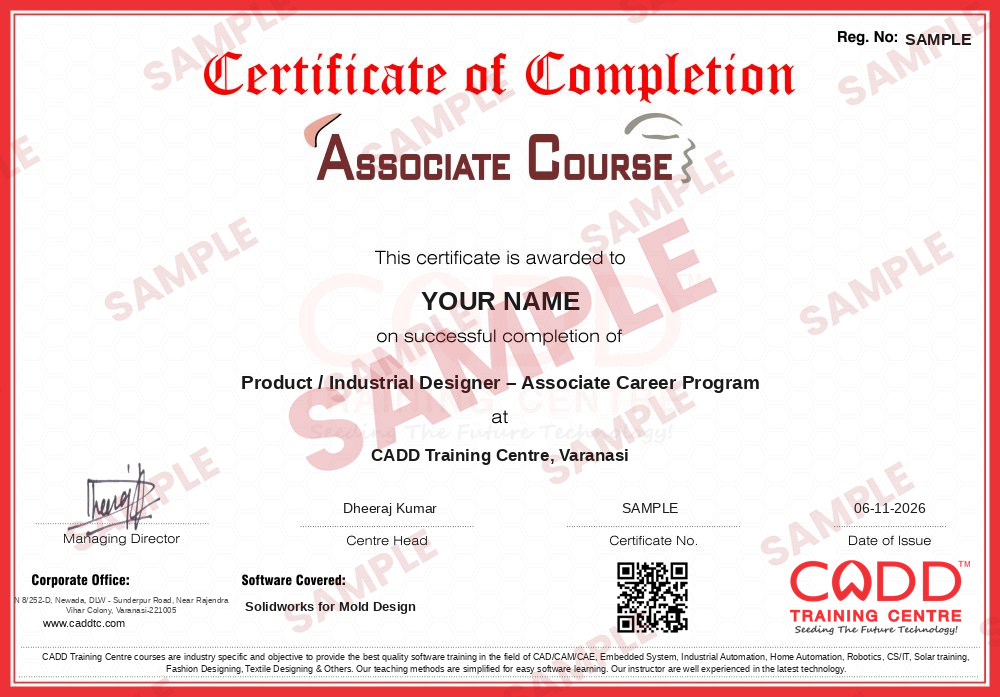
Course completion certificate + completion badge
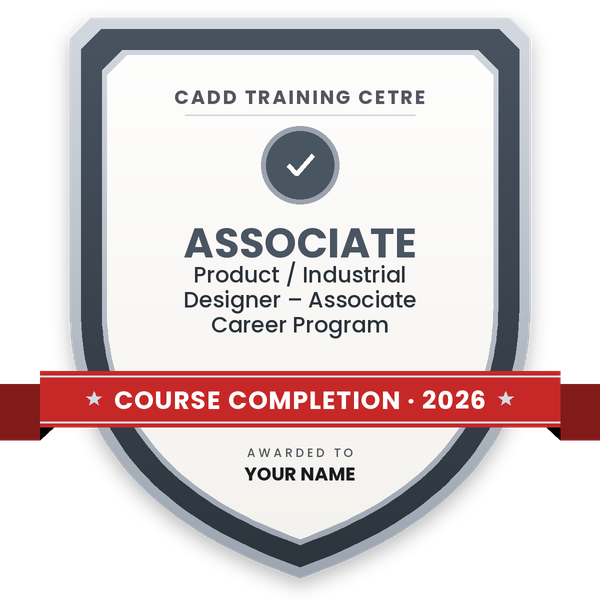
Finish the course and get your course-completion certificate and a digital completion badge with your name.
Course-completion certificate (sample) — Product / Industrial Designer – Associate Career Program · verifiable online
Course-completion badge
Course
Product / Industrial Designer – Associate Career Program
Issued by
CADD Training Cetre
Training
Classroom or live online
How to earn
Complete the course and its project
With your name and year · its own verify link · “Add to profile” on LinkedIn
6
Certification exam
Take the certification exam: a theory test and a practical task — at the centre or online.
7
Certified certificate + marksheet
Pass the exam and get the certified certificate with your marksheet. Anyone can check it online with its QR code.
8
Certified badge
Your certified badge — add it to LinkedIn and share it anywhere; it opens its own verify page.
Certified badge
Course
Product / Industrial Designer – Associate Career Program
Issued by
CADD Training Cetre
Training
Classroom or live online
How to earn
Pass the certification exam
You also get
Certified certificate + marksheet
With your name and year · its own verify link · “Add to profile” on LinkedIn
9
Make your CV & apply for jobs
Make your CV in your student panel (Career → My CV) — your course, certificates and projects are added for you. Send it as a link with a preview picture, and apply to jobs and Hire Me requests from companies.
Plastic parts such as housings, caps, covers and containers are made in injection moulds, and the mould designer must split each part into a core and cavity that open cleanly. SOLIDWORKS Mold Tools help with this job: they check whether a part can be moulded, find the parting line, close holes with shut-off surfaces and split the tooling block into core and cavity.
This 20-hour add-on course follows the real mould design workflow in SolidWorks. You review the plastic part with Draft Analysis and Undercut Analysis, apply draft and shrinkage with Scale, create Parting Lines, Shut-off Surfaces and Parting Surfaces, and use Tooling Split to build core and cavity blocks. You also learn side cores, interlock surfaces and basic mould assembly concepts. Each step is practised hands-on on the software with plastic product examples, in the classroom at a CADD centre or in live online classes.
The course supports roles in tool rooms, mould making and plastic product companies. It builds well on the SolidWorks Surfacing course.
You will be able to
Check plastic parts for draft and undercuts before mould design
Apply shrinkage with the Scale feature and add draft where needed
Create parting lines and shut-off surfaces for holes and windows
Build parting surfaces and use Tooling Split to create core and cavity
Model side cores and lifters for undercut areas
Understand basic mould assembly layout: plates, ejector side and feed system
Who it is for
Mechanical and tool and die engineering students who know SolidWorks
Tool room and mould making professionals
Plastic product design engineers
Diploma holders in tool and die making or plastics technology
What you need
Good knowledge of SolidWorks part modeling; surfacing basics help
Basic understanding of injection moulding
For live online classes: a Windows PC with at least 16 GB RAM and a dedicated graphics card
Courses that include Solidworks for Mold Design
Product / Industrial Designer – Associate Career ProgramAssociate Career Program · 140 Hours · 4 software
Students rate the course after they finish it — their ratings appear here.
Solidworks for Mold Design course — FAQ
What is SolidWorks mold design used for?
It is used to design core and cavity inserts for plastic injection moulds. SolidWorks Mold Tools check draft and undercuts, create parting lines and surfaces and split the tooling block automatically.
Who should learn SolidWorks mold design?
Tool room engineers, mould makers, plastic product designers and mechanical or tool and die students who already know SolidWorks part modeling should learn it.
How long is the SolidWorks mold design course?
The SolidWorks Mold Design module is 20 hours, covering part analysis, parting lines, shut-off and parting surfaces, tooling split, side cores and a project.
Can I attend SolidWorks mold design classes online?
Yes, both modes run: classroom batches at CADD Training Centre and live online classes. In SolidWorks Mold Design online sessions you design each core and cavity on your PC along with the trainer.
Will I get a certificate after the mold design course?
Yes. Completing the SolidWorks Mold Design course earns you a CADD Training Centre certificate with a QR code and verification code, so a tool room can confirm it online.
What jobs can I get with mold design skills?
Mould design skills support roles such as mould design engineer, tool designer, tool room CAD engineer and plastic product designer in tool rooms, moulding units and product companies.
Is SolidWorks good for mold design?
Yes, for core and cavity design of most plastic parts. SolidWorks Mold Tools handle analysis, parting and splitting well; dedicated mould base add-ins are often used for full mould assemblies.