Classroom & live online 80 Hours Verifiable certificate Syllabus ↓

Solidworks for Production Engineer Course

Learn SolidWorks for production: parts, assemblies, GD&T drawings, sheet metal, weldments, molds and costing.

Your roadmap — from admission to certificate

  1. Free counselling

    Talk to our counsellor — choose the right course, batch time and mode.

  2. Admission

    Join at a CADD centre near you or online. You get your student login and ID card.

  3. Learn step by step

    80 Hours of hands-on Solidworks for Production Engineer classes — in the classroom or live online.

    SolidWorks Interface and SketchingPart Modelling FundamentalsAdvanced Part FeaturesAssemblies for ProductionManufacturing DrawingsSheet Metal DesignWeldments and Structural FramesMold Tools and ManufacturabilityCosting, Simulation and DataProduction Project
  4. Practice & project

    Exercises in every class and a final project, checked by your trainer.

  5. Course completion certificate + completion badge

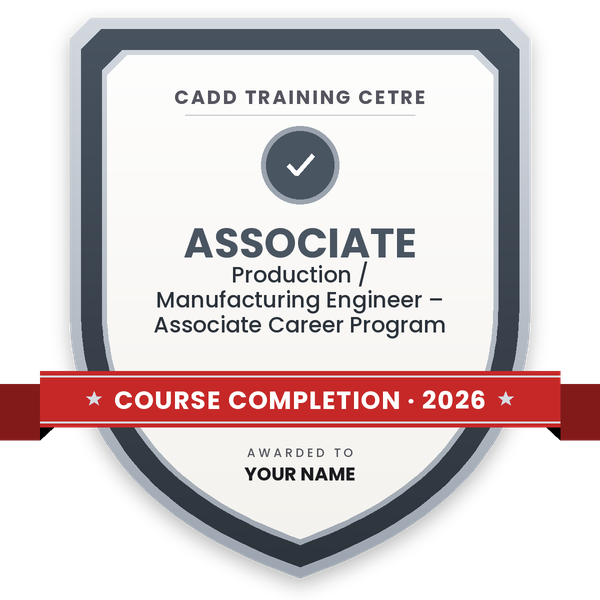
    Finish the course and get your course-completion certificate and a digital completion badge with your name.
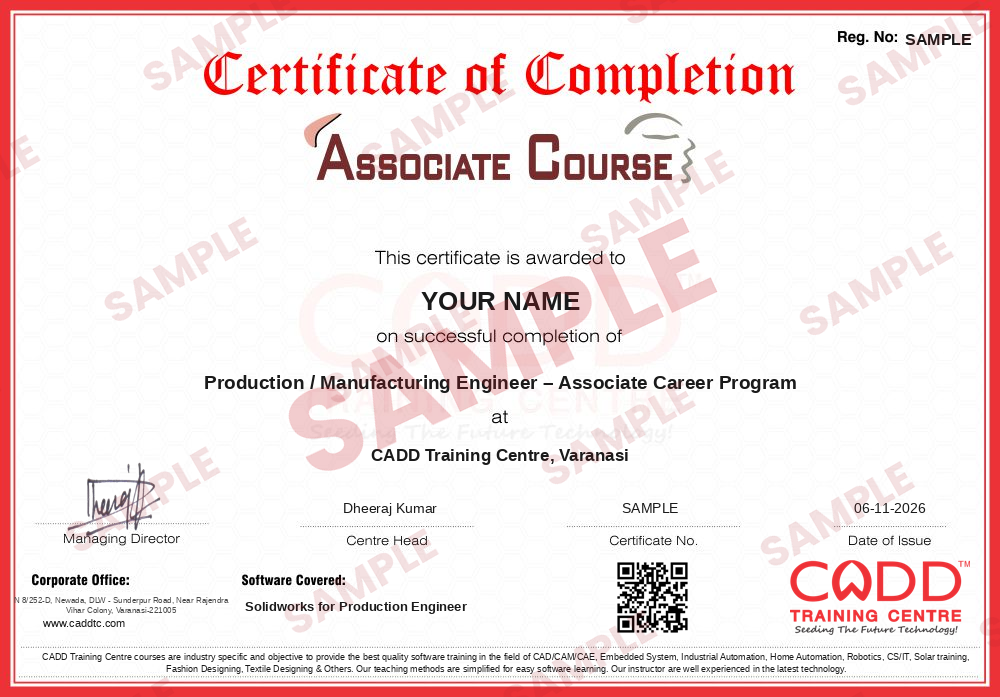
    Sample course-completion certificate — Production / Manufacturing Engineer – Associate Career Program
    Course-completion certificate (sample) — Production / Manufacturing Engineer – Associate Career Program · verifiable online
    Course-completion badge — Production / Manufacturing Engineer – Associate Career Program
    Course-completion badge
    Course
    Production / Manufacturing Engineer – Associate Career Program
    Issued by
    CADD Training Cetre
    Training
    Classroom or live online
    How to earn
    Complete the course and its project
    With your name and year · its own verify link · “Add to profile” on LinkedIn
  6. Certification exam

    Take the certification exam: a theory test and a practical task — at the centre or online.

  7. Certified certificate + marksheet

    Pass the exam and get the certified certificate with your marksheet. Anyone can check it online with its QR code.

  8. Certified badge

    Your certified badge — add it to LinkedIn and share it anywhere; it opens its own verify page.
    Certified badge — Production / Manufacturing Engineer – Associate Career Program
    Certified badge
    Course
    Production / Manufacturing Engineer – Associate Career Program
    Issued by
    CADD Training Cetre
    Training
    Classroom or live online
    How to earn
    Pass the certification exam
    You also get
    Certified certificate + marksheet
    With your name and year · its own verify link · “Add to profile” on LinkedIn
  9. Make your CV & apply for jobs

    Make your CV in your student panel (Career → My CV) — your course, certificates and projects are added for you. Send it as a link with a preview picture, and apply to jobs and Hire Me requests from companies.

About the Solidworks for Production Engineer course

SolidWorks, from Dassault Systèmes, is a widely used 3D CAD program for mechanical design. For production and manufacturing engineers it is more than a modelling tool: it is where parts are made production-ready, shop drawings are dimensioned and toleranced, sheet metal is flattened for laser cutting, weldment frames get their cut lists, and mould splits and manufacturability are checked before anything reaches the shop floor.

This 80-hour course starts from the basics, so you do not need earlier SolidWorks experience. You learn sketching with relations and design intent, part features, patterns and configurations, then assemblies with mates, Toolbox hardware, interference detection and motion basics. The production focus follows: manufacturing drawings with tolerances, GD&T feature control frames, surface finish and weld symbols and BOMs; sheet metal with bend allowance, K-factor and flat patterns; weldments; mold tools with draft analysis and core and cavity split; DFMXpress; SOLIDWORKS Costing; and data exchange in STEP, IGES, DXF and STL. A machine sub-assembly project with a full drawing set ties it together. Training is hands-on, in CADD centre classrooms or live online, with an online-verifiable CADD Training Centre certificate.

The course supports roles like production engineer, manufacturing engineer, sheet metal designer and CAD engineer in fabrication, automotive parts and machine building companies.

You will be able to

  • Model production-ready parts with correct design intent
  • Build assemblies and check interference, clearance and motion
  • Create shop-floor drawings with tolerances, GD&T symbols and BOMs
  • Design sheet metal parts and generate flat patterns
  • Create weldment frames with cut lists for fabrication
  • Use mold tools to check draft and split core and cavity
  • Check manufacturability and estimate part cost inside SolidWorks

Who it is for

  • Mechanical and production engineering students
  • Engineers working in manufacturing, fabrication and tooling
  • Diploma holders aiming for production planning or CAD roles
  • Machine shop and sheet metal professionals moving to 3D CAD

What you need

  • Basic computer skills and engineering drawing knowledge
  • Understanding of manufacturing processes helps
  • For live online classes: a Windows PC with 16 GB RAM and a dedicated graphics card

Courses that include Solidworks for Production Engineer

Production / Manufacturing Engineer – Associate Career ProgramAssociate Career Program · 120 Hours · 3 software
Enquire →
Production / Manufacturing Engineer – Professional Career ProgramProfessional Career Program · 200 Hours, 3 Months · 5 software
Enquire →

Solidworks for Production Engineer Syllabus

10 chapters · 50 topics
01 SolidWorks Interface and Sketching 5 topics
  1. User interface, CommandManager and FeatureManager design tree
  2. Document templates, units and options
  3. Sketch entities: line, circle, arc, slot, spline
  4. Sketch relations and Smart Dimension
  5. Fully defined sketches and design intent
02 Part Modelling Fundamentals 5 topics
  1. Extruded boss/base and extruded cut
  2. Revolved boss and revolved cut
  3. Fillet, chamfer and shell
  4. Reference geometry: planes, axes, points
  5. Hole Wizard and threads
03 Advanced Part Features 5 topics
  1. Sweep and loft
  2. Linear, circular and curve-driven patterns
  3. Mirror features
  4. Rib and draft
  5. Equations, global variables and configurations
04 Assemblies for Production 5 topics
  1. Bottom-up assembly and standard mates
  2. Advanced and mechanical mates
  3. Toolbox standard hardware
  4. Interference and clearance detection
  5. Exploded views and motion study basics
05 Manufacturing Drawings 6 topics
  1. Drawing sheets and title blocks
  2. Standard, section, detail and auxiliary views
  3. Dimensions, tolerances and hole callouts
  4. GD&T: feature control frames and datums
  5. Surface finish and weld symbols
  6. Bill of materials and balloons
06 Sheet Metal Design 5 topics
  1. Base flange, edge flange and miter flange
  2. Bend allowance and K-factor
  3. Hems, jogs and sketched bends
  4. Forming tools
  5. Flat pattern and DXF export for laser cutting
07 Weldments and Structural Frames 5 topics
  1. Structural members and profiles
  2. Trim/extend and end caps
  3. Gussets and fillet beads
  4. Cut list properties
  5. Weldment drawings
08 Mold Tools and Manufacturability 5 topics
  1. Draft analysis and undercut analysis
  2. Parting lines and parting surfaces
  3. Shut-off surfaces
  4. Tooling split: core and cavity
  5. DFMXpress manufacturability check
09 Costing, Simulation and Data 5 topics
  1. SOLIDWORKS Costing for machined and sheet metal parts
  2. SimulationXpress static check
  3. Custom properties for production data
  4. Pack and Go and file management
  5. Exporting STEP, IGES, DXF and STL
10 Production Project 4 topics
  1. Project: machine sub-assembly with sheet metal and weldment parts
  2. Complete drawing set with GD&T and BOM
  3. Manufacturability and cost review
  4. Certificate assessment

Ratings & reviews

Students rate the course after they finish it — their ratings appear here.

Solidworks for Production Engineer course — FAQ

How do production engineers use SolidWorks?

Production engineers use SolidWorks to prepare manufacturing-ready models, shop drawings with tolerances, sheet metal flat patterns, weldment cut lists and mold splits, and to check manufacturability and part cost before production starts.

What is covered in SolidWorks for Production Engineer?

Sketching, part modelling, assemblies, GD&T drawings, sheet metal, weldments, mold tools, DFMXpress, Costing and a final production project with a full drawing set.

What is the course duration for SolidWorks for Production Engineer?

This SolidWorks course is 80 hours long, giving enough time for practice on each manufacturing topic.

Can I study SolidWorks production engineering online?

Yes. Pick a classroom batch at a CADD centre or join live online SolidWorks for Production Engineer classes; online, you prepare the same production drawings and flat patterns on your PC with live trainer feedback.

Is the certificate for this SolidWorks course verifiable online?

A CADD Training Centre certificate is given after SolidWorks for Production Engineer. Each one carries a QR code and a unique number, letting a fabrication or tooling company verify it online.

Which jobs need SolidWorks manufacturing skills?

Production engineer, manufacturing engineer, sheet metal designer, tool design assistant and CAD engineer roles in fabrication, automotive parts and machine building companies. Placement support is provided.

Do I need to know SolidWorks basics before this course?

No. The course begins with sketching and part modelling, then moves into production topics, so beginners with engineering drawing knowledge can join.

More questions? Ask our counsellor or read the general FAQ.

Solidworks for Production Engineer80 Hours
Enquire now