Classroom & live online 20 Hours Verifiable certificate Syllabus ↓

Primavera P6 Professional Advanced Course

Hands-on Primavera P6 Professional Advanced training with real projects and an online-verifiable certificate.

Your roadmap — from admission to certificate

  1. Free counselling

    Talk to our counsellor — choose the right course, batch time and mode.

  2. Admission

    Join at a CADD centre near you or online. You get your student login and ID card.

  3. Learn step by step

    20 Hours of hands-on Primavera P6 Professional Advanced classes — in the classroom or live online.

    Resource and Role AnalysisResource Assignments WindowManual Resource AllocationBucket PlanningLeveling ResourcesStoring Period PerformanceDuration TypesCalculating Percent CompleteEarned ValueAdvanced Scheduling
  4. Practice & project

    Exercises in every class and a final project, checked by your trainer.

  5. Course completion certificate + completion badge

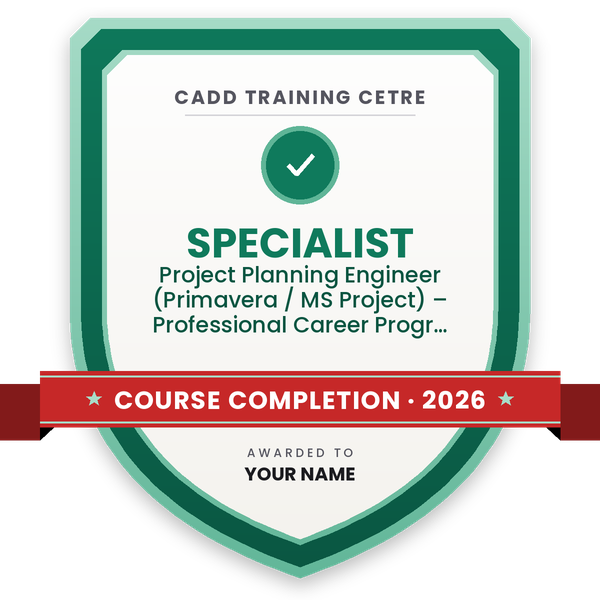
    Finish the course and get your course-completion certificate and a digital completion badge with your name.
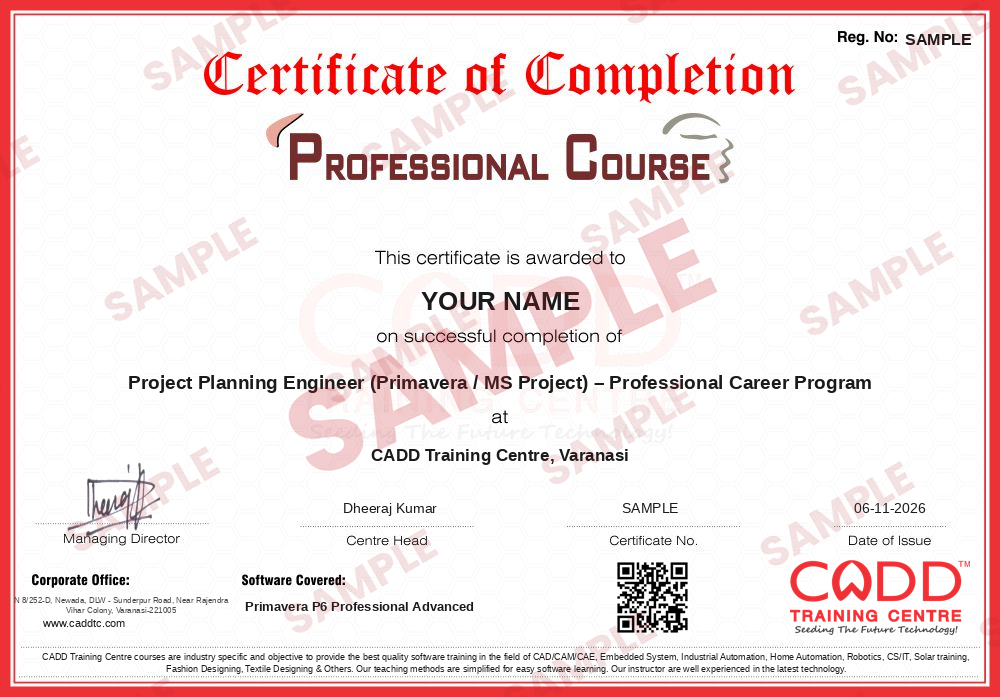
    Sample course-completion certificate — Project Planning Engineer (Primavera / MS Project) – Professional Career Program
    Course-completion certificate (sample) — Project Planning Engineer (Primavera / MS Project) – Professional Career Program · verifiable online
    Course-completion badge — Project Planning Engineer (Primavera / MS Project) – Professional Career Program
    Course-completion badge
    Course
    Project Planning Engineer (Primavera / MS Project) – Professional Career Program
    Issued by
    CADD Training Cetre
    Training
    Classroom or live online
    How to earn
    Complete the course and its project
    With your name and year · its own verify link · “Add to profile” on LinkedIn
  6. Certification exam

    Take the certification exam: a theory test and a practical task — at the centre or online.

  7. Certified certificate + marksheet

    Pass the exam and get the certified certificate with your marksheet. Anyone can check it online with its QR code.

  8. Certified badge

    Your certified badge — add it to LinkedIn and share it anywhere; it opens its own verify page.
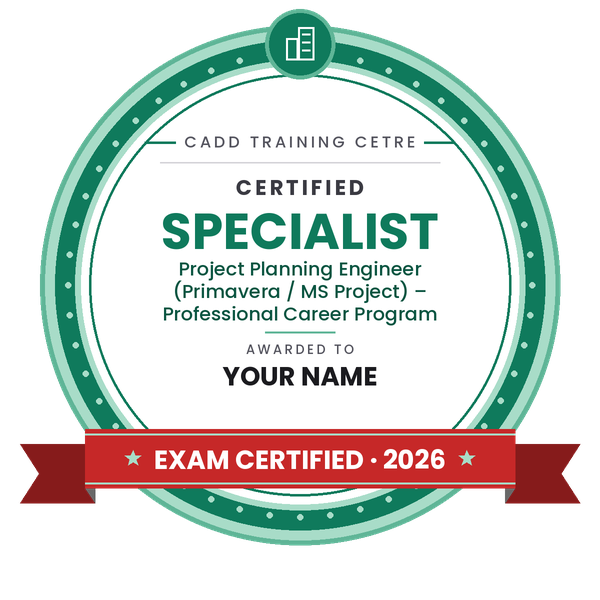
    Certified badge — Project Planning Engineer (Primavera / MS Project) – Professional Career Program
    Certified badge
    Course
    Project Planning Engineer (Primavera / MS Project) – Professional Career Program
    Issued by
    CADD Training Cetre
    Training
    Classroom or live online
    How to earn
    Pass the certification exam
    You also get
    Certified certificate + marksheet
    With your name and year · its own verify link · “Add to profile” on LinkedIn
  9. Make your CV & apply for jobs

    Make your CV in your student panel (Career → My CV) — your course, certificates and projects are added for you. Send it as a link with a preview picture, and apply to jobs and Hire Me requests from companies.

About the Primavera P6 Professional Advanced course

Oracle Primavera P6 Professional is project planning and scheduling software used on large infrastructure, power, oil and gas, and building projects. Planning engineers and project controls teams use it to build schedules, assign resources, track progress and report performance to management. Once the basics are in place, the advanced features are what make P6 useful on big, multi-project portfolios.

This 20-hour Advanced course is for learners who already know how to create projects, WBS, activities, relationships and baselines. It focuses on resource levelling to remove over-allocation, earned value analysis with measures such as SPI and CPI, and handling large schedules through global change, activity codes and user-defined fields. You also work with multiple baselines and variance analysis, multiple float paths and schedule options useful in delay analysis, custom layouts, reports and dashboards, and data exchange with Excel and XER files. The training is built around exercises on a realistic project schedule, in the classroom at CADD Training Centres or in live online classes that working planners can join from site or office.

These skills are expected of senior planning engineers, project schedulers, project controls engineers and cost controllers. If you are new to P6, take Primavera P6 Fundamentals before joining this course.

You will be able to

  • Level resources and resolve over-allocation across activities and projects
  • Use earned value measures to report schedule and cost performance
  • Apply global change, user-defined fields and activity codes to large schedules
  • Manage multiple baselines and analyse variance against each one
  • Work with multiple float paths and schedule options for delay analysis
  • Build custom layouts, reports and dashboards for management reviews
  • Import and export schedules with Excel and XER files

Who it is for

  • Engineers who have completed Primavera P6 Fundamentals
  • Planning and scheduling engineers handling large projects
  • Project controls and cost control professionals
  • Project managers who review schedules and progress reports

What you need

  • Primavera P6 Fundamentals or equivalent working experience
  • Good working knowledge of Excel
  • A Windows PC for live online classes

Courses that include Primavera P6 Professional Advanced

Project Planning Engineer (Primavera / MS Project) – Professional Career ProgramProfessional Career Program · 194 Hours · 6 software
Enquire →

Primavera P6 Professional Advanced Syllabus

12 chapters · 26 topics
01 Resource and Role Analysis 3 topics
  1. Theory - Resource and Role Analysis
  2. LAB 1 - Using the Resource Usage Profile
  3. LAB 2 - Using the Resource Usage Spreadsheet
02 Resource Assignments Window 2 topics
  1. Theory - Resource Assignments Window
  2. LAB - Working in the Resource Assignments Window
03 Manual Resource Allocation 2 topics
  1. Theory - Manual Resource Allocation
  2. LAB - Non-Linear Distribution of Resources
04 Bucket Planning 2 topics
  1. Theory - Bucket Planning
  2. LAB - Editing Future Period Buckets
05 Leveling Resources 3 topics
  1. Theory - Leveling Resources
  2. LAB 1 - Leveling Resources
  3. LAB 2 - Leveling Based on Activity or Project Priorities
06 Storing Period Performance 2 topics
  1. Theory - Storing Period Performance
  2. LAB - Storing Period Performance
07 Duration Types 2 topics
  1. Theory - Duration Types
  2. LAB - Using Duration Types
08 Calculating Percent Complete 2 topics
  1. Theory - Calculating Percent Complete
  2. LAB - Calculating Percent Complete
09 Earned Value 2 topics
  1. Theory - Earned Value
  2. LAB - Performing an Earned Value Analysis
10 Advanced Scheduling 2 topics
  1. Theory - Advanced Scheduling
  2. LAB - Using Advanced Scheduling Options
11 User-Defined Fields and Global Change 2 topics
  1. Theory - User-Defined Fields and Global Change
  2. LAB - User-Defined Fields and Global Change
12 Managing Multiple Projects 2 topics
  1. Theory - Managing Multiple Projects
  2. LAB - Managing Multiple Projects

Ratings & reviews

Students rate the course after they finish it — their ratings appear here.

Primavera P6 Professional Advanced course — FAQ

What is taught in the Primavera P6 Advanced course?

The course covers resource levelling, earned value analysis, global change, activity codes and UDFs, multiple baselines, float paths, advanced layouts, reporting and data exchange with Excel and XER files.

Do I need Primavera Fundamentals before the Advanced course?

Yes. You should already know how to create projects, WBS, activities, relationships and baselines, either from our Fundamentals course or from regular work in P6.

How long is the Primavera P6 Professional Advanced course?

The Advanced course is 20 hours long and is built around exercises on a realistic multi-activity project schedule.

Is advanced Primavera training available online?

Yes. It runs in the classroom at CADD Training Centres and as live online classes, so working planners can join without leaving their site or office.

Will I receive a certificate after the advanced Primavera course?

Yes. You receive a CADD Training Centre certificate after the course; its QR code and verification code let employers check it online.

Which roles use advanced Primavera skills?

Senior planning engineers, project schedulers, project controls engineers, cost controllers and project managers use these skills on infrastructure, power, oil and gas and building projects.

What is earned value in Primavera P6?

Earned value compares planned work, completed work and actual cost to show whether a project is ahead or behind schedule and over or under budget, using measures such as SPI and CPI.

What is resource levelling in Primavera?

Resource levelling delays or rearranges activities so that a resource is not used beyond its available limit. P6 can level automatically based on priorities you set.

More questions? Ask our counsellor or read the general FAQ.

Primavera P6 Professional Advanced20 Hours
Enquire now