Classroom & live online13 courses10 softwareVerifiable certificate
Fashion Designing Courses
Enroll in online and Offline Fashion designing courses to learn tools that will enhance your career. Courses include Photoshop, CorelDRAW, Adobe Illustrator…
Certificate→Associate→Professional→Master
Fashion Designing courses
The enrollable courses of this field, level by level.
Certificate Course7 courses+
Certificate Course in PhotoShop For Fashion Designing
60 Hours · 1 software
Chapter-wise syllabus of every software taught in this field -- tap a software to open it.
Photoshop For Fashion Design15 chapters · 138 topics+
File managementNew FileOpen fileOpen ImageSave & save asCreating Custom WorkspacesSave for webViewing Document InformationImport and export fileUndoing Mistakes and The History PaletteDisplay GuidesSetting PreferenceZooming & Panning an ImageWorking with Multiple Images, Rulers, Guides & Grids
Basic Image ManipulationBitmap ImageVector ImageImage Size & Revolution SettingScanning ImageCreate New ImagePlacing FileOpen image By Drag And dropTrace Image
Drawing ToolsRaster vs VectorShape Layer & Shape OptionsUsing The Shape toolsUsing The Pen ToolsUsing the Anchor point ToolUsing The Path PaletteWorking with Path
Painting ToolsBrush ToolBlending modePencil toolMixture Brush toolErase ToolMagic Erase ToolBackground Erase ToolUsing the art history BrushUsing the History BrushDefine Brush Preset
Brush SettingUsing the Brushes PaletteCreating Custom Brush Tips By SelectionCreating Custom Brush Tips in the Brushes PaletteSetting Shape DynamicsSetting Brush ScatteringSetting Brush TextureSetting Dual BrushesSetting Color DynamicsMiscellaneous Brush SettingsClearing Brush SettingsSetting Other Dynamics
LayerUsing the Layer & Layer setsCreating a layer & Layer setsStacking a linking layerMoving Layer Content with the move toolsLocking layerMerging & Flattering Layers
Advanced LayerAdd a layer styleAdd Layer a maskCreate new fill or Adjustment LayerCreating New GroupCreating Clipping maskBlending Modes, Opacity & Fill
Using Channel & MaskingUsing ChannelSpot ColorBlending channels and LayersMaskUsing Alpha Channel
Color BasicsColor Modes and ConversionColor managementForeground and background colorUsing the color pickerSelecting color with the color paletteSelecting color with the Swatches palette
Filling and StrokingAppling fillsUse the paint bucket toolUse the gradient toolUse the gradient editorUsing patternsUsing the pattern makersStroking
Manipulating Image and retouching ToolsChanging the canvas sizeRotating and flipping imageCropping imageThe free transform commandThe smudge toolBlurring and sharpening imagesUsing the dodge tool and the burn toolThe sponge toolFilters and the filter galleryThe liquefy commandThe clone stamp toolThe pattern stamp toolThe healing brush toolThe patch toolThe color replacement toolUsing the Spot Healing Brush ToolsContent-Aware move ToolRed eye ToolsRetouching on Separate Layer
Adjustment and Filter EffectBrightness/ContrastLevelCurvesHue/SaturationColor BalanceBlack and WhitePhoto FilterShadows/ HighlightsDesaturationBlurDistortNoiseRender
TextText BasicEntering a TextSelecting a TextEdit The Bounding BoxCreating a type selectionAppling effect to Type LayersUsing the Character PaletteChecking for SPL errorUsing the Paragraph Palette
Working with Pattern fillFill Scale PatternClip MaskWarpingPuppet WarpDisplaceDodge Burn PatternSwap Patternorg Layers
CorelDRAW For Fashion Design9 chapters · 43 topics+
CorelDRAW Workspace for Fashion DesignersInterface, toolbox, property bar and dockersPage setup, units, rulers, guidelines and gridsPick tool, selecting, grouping and arranging objectsSaving, file formats and backups
Drawing Tools and Node EditingFreehand, Bezier, Pen and B-Spline toolsShape tool: adding, deleting and converting nodesSmooth, cusp and symmetrical nodesOutline Pen: width, line styles and dashed stitch linesSmart Drawing and Artistic Media tools
Croquis and Figure TemplatesImporting and locking a croquis on a layerWomen's, men's and kids' figure proportionsTracing poses and building a template libraryUsing Object Manager and layers for clean files
Garment Flats and Technical DrawingsDrawing half a garment and mirroring for symmetryWeld, Trim, Intersect and Combine for garment shapesCollars, sleeves, cuffs, pockets and placketsTopstitching, darts, pleats and gathersButtons, zips and trims as reusable symbolsTops, dresses, trousers, skirts and ethnic wear flats
Fabric Fills, Textures and DrapingUniform, fountain and pattern fillsPowerClip for placing fabric swatches inside garmentsMesh fill and transparency for folds and shadingImporting and scaling scanned fabricContour and Drop Shadow for depth
Prints, Motifs and EmbellishmentsDesigning motifs and allover printsStep and Repeat and Transformations dockerBlend and Envelope effects for printsEmbroidery, lace and border placementPowerTRACE for converting hand sketches to vectors
Colour Management and ColourwaysColour palettes and custom palettesSpot colours and Pantone-style colour referencesFind and Replace for quick colourwaysCreating a colour story for a collection
Tech Packs and Spec SheetsSpec sheet layout and title blockDimension tools for garment measurementsCallouts, text and tables for construction detailsFabric, trim and colour specification pagesExporting tech packs as PDF
Presentation Boards and Portfolio ProjectMood, theme and colour boardsCollection line sheets and range plansMulti-page portfolio layoutPrint and PDF export settingsFinal collection project and review
Adobe Illustrator For Fashion Design9 chapters · 41 topics+
Illustrator Basics and WorkspaceVector vs raster artworkWorkspace, panels, artboards and document setupSelection and Direct Selection toolsLayers, locking and organising artworkSaving AI, PDF and SVG files
Drawing Tools for FashionPen and Curvature toolsAnchor points, handles and path editingPencil, Smooth and Join toolsShape tools and Shape BuilderPathfinder panel for combining garment shapes
Croquis and TemplatesPlacing a croquis as a template layerFemale, male and kids' proportion templatesImage Trace for converting sketchesBuilding reusable template files
Garment Flats and Technical SketchesHalf-garment drawing and the Reflect toolStroke panel: weights, dashes and stitch linesWidth tool for expressive outlinesCollars, sleeves, pockets, plackets and waistbandsShirts, dresses, denim, outerwear and ethnic wear flats
Brushes, Trims and SymbolsPattern brushes for stitches, zips and chainsArt and scatter brushes for lace and trimsSymbols for buttons, rivets and labelsBuilding a personal trims library
Prints, Patterns and TexturesCreating motifs and placement printsPattern Options for seamless repeatsClipping masks to fill garments with printsGradients, Gradient Mesh and Live PaintTexture overlays and transparency
Colour, Swatches and ColourwaysSwatches panel, global swatches and colour groupsPantone and other swatch librariesRecolor Artwork for quick colourwaysAppearance panel and Graphic Styles
Tech Packs and Spec SheetsTech pack page layout on multiple artboardsMeasurement points and calloutsType tools for construction notesFabric, trim and colour specificationExporting multi-page PDF tech packs
Presentation and Portfolio ProjectMood boards and trend boardsLine sheets and collection overviewsAsset Export and print settingsFinal collection project and portfolio review
Adobe InDesign for Fashion Design9 chapters · 43 topics+
InDesign Workspace and DocumentsInterface, Tools panel and Control panelNew document: page size, margins, columns and bleedPages panel and navigationWorkspaces for layoutSaving, packaging and file formats
Frames, Text and TypographyText frames and threadingCharacter and paragraph formattingFonts and type hierarchy for fashionText wrap around imagesParagraph and character styles
Images and GraphicsPlacing photos, sketches and flatsFitting and cropping content in framesLinks panel and image resolutionShapes, lines and frame effectsUsing Photoshop and Illustrator files
Colour and Brand StylingSwatches panel and colour modesCreating a collection colour paletteGradients and transparency effectsObject stylesCreating a brand mood board page
Parent Pages, Grids and Layout SystemsParent (master) pagesAutomatic page numbers and sectionsLayout grids and guidesSpreads and facing pagesConsistent portfolio templates
Tables and Tech Pack PagesCreating and styling tablesLine sheets with style number, size and colourSpec and measurement tablesCallouts and annotations on flatsFabric and trim swatch pages
Lookbooks and CataloguesLookbook layout planningFull-bleed photography spreadsCatalogue pages with product gridsData merge basics for product detailsCover and back page design
Interactive Documents and OutputHyperlinks and buttonsInteractive PDF portfolioPreflight checksExport to print PDF with bleed and marksPackage for printing
Fashion Portfolio ProjectProject: complete fashion design portfolioCollection lookbook and line sheetReview and certificate assessment
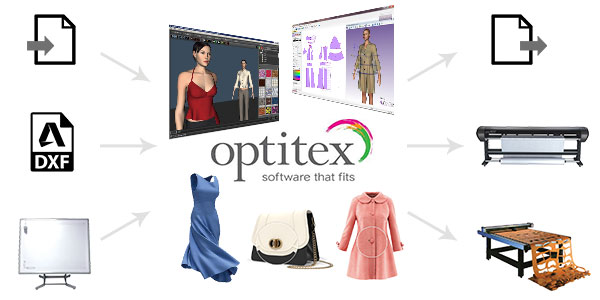
Introduction to Fashion CAD and OptitexRole of CAD in apparel productionOptitex PDS interface and toolbarsUnits, settings and file managementPiece properties and piece informationWorkflow: pattern, grading, marker, 3D
Pattern Drafting ToolsDrawing rectangles, lines and curvesPoints, segments and curve editingMeasure tools and length checksMirror, rotate and split piecesCreating basic bodice, skirt and trouser blocks
Pattern ModificationDarts: create, rotate and closePleats and fullnessNotches and drill holesSeam allowance and corner typesFacings, pockets and collars
Digitising and Importing PatternsDigitiser setup and digitising paper patternsPhoto digitising basicsImporting DXF patternsCleaning and correcting imported piecesStyle files and piece lists
GradingSize table and base sizeGrading rules and rule tablesApplying grade pointsChecking nests of graded sizesGrading reports
Marker MakingMarker setup: fabric width and size ratioManual and automatic nestingGrain line, buffer and piece rotation rulesMarker efficiency and fabric consumptionPlotting markers and cut files
Optitex 3D Virtual SamplingAvatars and measurementsStitching pattern pieces in 3DFabric properties and drape simulationFit checks and tension mapsTexture and colour presentation
Production ProjectProject: garment style from pattern to markerGraded size set and marker report3D fit checkCertificate assessment
Introduction to Apparel CAD and TukaCADPattern room workflow in garment factoriesTukaCAD interface, menus and work areaSettings, units and file handlingSelecting and viewing piecesStyle and piece management
Pattern DraftingLines, curves and pointsMeasurements and length checksCreating bodice blockCreating sleeve, skirt and trouser blocksSaving blocks as a style library
Pattern ModificationDarts: create, move and closePleats, tucks and fullnessNotches and drill holesSeam allowance and cornersCollars, cuffs, facings and pockets
Digitising PatternsDigitiser setupDigitising paper patterns with grade pointsCorrecting curves after digitisingImporting and exporting DXF patternsChecking walk and seam lengths
GradingSize charts and base sizeGrading rules and rule librariesApplying grade rules to pointsViewing and checking graded nestsGrading common garments
Marker Making and PlottingMarker setup: fabric width and size ratioPlacing pieces and nestingGrain lines, rotation and buffersMarker efficiencyPlotting patterns and markers
Style Development PracticeMen's shirt patternWomen's kurta patternTrousers and skirts with variationsKids' wear basicsPattern checks before production
Production ProjectProject: complete style from draft to graded markerPattern and marker reportReview and certificate assessment
Getting Started with AutoCADUser interface: ribbon, application menu, Quick Access ToolbarCommand line, dynamic input and status barCreating, opening and saving drawings and templatesUnits, limits and drawing settingsZoom, pan and navigation
Drawing Basics and Precision ToolsAbsolute, relative and polar coordinatesLine, circle, arc, rectangle and polygonObject snaps and object snap trackingOrtho, polar tracking and grid/snapPolyline, ellipse and spline
Editing and Modifying ObjectsSelection methodsMove, copy, rotate, scale and mirrorTrim, extend, offset and fillet/chamferRectangular, polar and path arraysStretch, break, join and explodeEditing with grips and the Properties palette
Layers and Object PropertiesLayer Properties ManagerColour, line type and line weightLayer states, freeze, lock and isolateMatch Properties and Quick Select
Annotation: Text, Hatching and TablesText styles, single-line and multiline textHatch and gradient fillsTables and table stylesAnnotative objects and annotation scale
DimensioningDimension stylesLinear, aligned, angular, radius and diameter dimensionsBaseline and continue dimensionsMultileaders and tolerancesEditing dimensions
Blocks, Attributes and ReferencesCreating and inserting blocksBlock attributes and attribute extractionDynamic blocks (introduction)External references (Xref) and imagesDesignCenter and tool palettes
Layouts, Viewports and PlottingModel space and paper spaceCreating layouts and viewportsViewport scale and lockingPage setup, plot styles and plotting to PDF
3D Modeling Basics3D Modeling workspace and visual stylesUCS and viewing in 3D (ViewCube, orbit)Solid primitives: box, cylinder, cone, sphere, wedgeExtrude, revolve, sweep and loftUnion, subtract and intersect
3D Editing, Views and Final ProjectPresspull, fillet edge, chamfer edge and shell3D move, 3D rotate, 3D mirror and 3D arraySection planes and flatshotCreating drawing views from a 3D modelFinal 2D and 3D project with plotted output
Introduction to AutoCADIntroduction to AutoCAD HistoryExploring GUI (Graphical User Interface)Understanding the AutoCAD terminologyHow to install AutoCAD Student LicenseUnderstanding the AutoCAD Workspace
Understanding the File Management OperationsStarting a NEW AutoCAD File with NEW, QNew and STARTUPOpen existing Drawing fileSecure your file data with SAVE & SaveASUnderstanding the AutoSave optionSaving file in other versionUnderstanding the AutoCAD file formatQuiting AutoCAD- close,Exit/Quit
Basic OperationsWorking with MouseUnderstanding the Co-ordinate SystemWorking with Co-ordinate SystemUnderstanding object selection methodWorking with Drawing Setting- Units, limits & Displaying GridUnderstanding the Drafting SettingLines- You Will Use Them EverywhereErase Unused objectsUnderstanding the Undo & Redo Operations
Display Control commandsUnderstanding the Zoom CommandsUnderstanding the Zoom FactorUnderstanding the PAN & MBUTTONPANUnderstanding Regen & Viewres
Drawing and Drafting toolsPolyline and their usesSpline and their usesUsing Different types of CircleUsing Different types of ArcUsing Rectangle in Depth lookUsing Ellipse (Center, Axis-End & Ellipticle Arc)Using Polygon in Depth lookUnderstanding the Construction line and Ray lineUnderstanding the Point and their stylesDivide – Measure –Not What You Would ThinkUnderstanding the Donut, Revision Cloud and Fill
Modify objects-Manipulation CommandsUnderstanding and Using Copy CommandUnderstanding and Using Move CommandDeleting duplicate objectsUnderstanding and Using Rotate CommandUnderstanding and Using Mirror CommandUnderstanding and Using Stretch CommandUnderstanding and Using Scale CommandUnderstanding and Using Offset CommandFillet object cornersChamfer object cornersTrimming and Extending linesUnderstanding Array CommandUsing Rectangular ArrayUsing Polar ArrayUsing Path ArrayUnderstanding the Exploding ObjectsBreaking and Joining ObjectsWorking with Multi-function GripsModify Associative Array
Changing Objects PropertiesAssigning Object ColorUnderstanding the Line TypesAssigning Line TypesAssigning Object Line WeightChecking and Modifying Object PropertiesUnderstanding the Match Type Properties
Object visibilityHide – Isolate – End Isolation On Selected ObjectsTransparency – Old Thing Just Fade AwayLine Type Scale – Scale Size Is RelativeUnderstanding the Draw Order
Using Layer ManagementCreating and Editing LayersAssigning New Layers in Existing ObjectHow to Save Layers ?Opening Save Layer in Existing DrawingsUsing Layers to Plot ControlFreeze Or Thaw, On Or Off And Locking LayersUnderstanding Layer in AutoCAD
DimensioningUnderstanding Dimensioning conceptUsing Basic Dimensions (Linear, Aligned, Arc Length, Ordinate, Radius, Diameter, Jogged and Angular)Understanding and Using Continue & Baseline dimensionsAdding tolerance Dimensions in the ObjectAdding Center markCreating and Modifying Dimension style in Depth LookUsing the Dimension Edit and Dimension Text EditUnderstanding and Using leader DimensionUnderstanding and Using Mltileader DimensionUnderstanding and Using Mltileader Style Dimension
Hatch and GradientUnderstanding Hatching conceptCreating Basic HatchesHatching in Depth lookUsing GradientMirror Hatch
Working with Text and tableCreating Single Line TextCreating Multiline TextCreating and Modifiyig Text StyleUsing Mirror TextChecking SpellingCreating tableEditing TableCreating & Modifying Table StyleModifying TextUnderstanding Text Concept in AutoCAD
Working with Block and WblockCreate & Insert BlockCreate WBlockCreate Wblock using BaseEdit, Save & Save As Block
Working with Clipboard ToolsUsing Cut, Copy and Copy with Base PointUsing Paste ClipUsing Paste As BlockUsing Copy Link and Paste original Co-ordinateUsing Paste SpecialUsing Hyperlink & Paste Hyperlink
Utilities & Inquiry ToolsUsing ID PointUsing List CommandUsing Measuregeom command(Distance, Radius, Angle, Area & Volume)
Understanding the Model Space, Paper or Layout Space and PlottingWhat is the Difference Between Printing and Plotting?Under Drawing Spaces (Model Space & Paper Space)Using Page setup for LayoutMaking and clipping viewportsAdding Layout with Title BlockInserting Title Block on LayoutAdding Annotation on a LayoutPrinting or Plotting from Model space and Paper SpaceUnderstanding Plotstyle
Advance OperationsUsing Design Center PalettesUsing Tool PalettesUnderstanding & Using QSELECTSelect Similar – Pick It OnceAdd Select - Start a Command when you don't have toRenaming objectsUsing Quick Calculator
Getting Started with 3D ModelingIntroduction to AutoCAD 3D interfaceSetup 3D WorkspaceUnderstanding the View Cube and Orbit ToolsUnderstanding the 3D Object SnapUnderstanding the Visual StylesUnderstanding Allow/ Disallow Dynamic UCSManipulating the User Co-ordinate SystemUnderstanding Viewport Configuration
Creating Solid 3D Objectsworking with Solid Primitives
Creating 3D Objects from 2D ProfilesUnderstanding the 2D Profiles and its worksUsing the Extrude CommandUsing the Revolve commandUsing the Loft CommandUsing the Sweep commandUsing the Polysolid CommandUsing the Press-pull Command
Modifying 3D ObjectsUsing Gizmo Command- Move, Rotate and ScaleUsing object CullingMirroring and Aligning object in 3DCreating a Composite Solid- Using Boollion Operation: Union, Substract and IntersectAdding a Chamfer/ Chamfer Edge and Fillet/ Fillet EdgeEditing Entire Solid- Separating and Shelling Solids
Rendering and presentationAssigning Material to 3D ObjectModifying Material PropertiesAdding Sun, Geolocation, date and timeAdding Lights-Point, Spot, Web and Distance lightModifying Light Properties using with Light listAdding environment- Display, Sky background and ShadowCreating and Modifying Camera ViewCreating Named ViewCreating and Saving renderings as image file
Marvelous Designer for Fashion Design9 chapters · 44 topics+
Introduction to 3D Garment DesignWhat Marvelous Designer is used for2D pattern window and 3D garment windowNavigation, display modes and preferencesAvatars, sizes and arrangement pointsSaving projects and garment files
Pattern Making ToolsPolygon, rectangle and circle patternsEdit Pattern and point editingCurve points and segment lengthsInternal lines and dartsSymmetric patterns and trace tools
Sewing and SimulationSegment sewing and free sewingArranging patterns on the avatarRunning simulationParticle distance and simulation qualityFixing sewing errors and collisions
Fabric PropertiesFabric presets and physical propertiesStretch, bending and density settingsThickness and layer settingsPressure and shrinkageMatching fabric behaviour to real materials
Garment DetailsFold angle and fold linesPleats and gathersElastic and tack pointsButtons, buttonholes and zippersTopstitch and puckering
Building Complete GarmentsT-shirt and shirtTrousers and denim jeansSkirts and dressesJackets with collars and liningsLayering multiple garments
Textures, Colourways and GraphicsUV editor and texture placementPrints, logos and graphicsNormal maps and fabric texturesColourways for a collectionFitting checks: strain and stress maps
Animation and RenderingAvatar poses and motion filesRecording garment simulationRender settings and lightingTurntable images for presentationVideo output
Export and Final ProjectQuad remesh and retopology for exportExporting OBJ, FBX and AlembicProject: 3D fashion collectionCertificate assessment
AutoCAD Professional (2D+3D)32 chapters · 217 topics+
2DAutoCAD 2D
13 chapters · 107 topics
Introduction to AutoCADIntroduction to AutoCAD HistoryExploring GUI (Graphical User Interface)Understanding the AutoCAD terminologyHow to install AutoCAD Student LicenseUnderstanding the AutoCAD Workspace
Understanding the File Management OperationsStarting a NEW AutoCAD File with NEW, QNew and STARTUPOpen existing Drawing fileSecure your file data with SAVE & SaveASUnderstanding the AutoSave optionSaving file in other versionUnderstanding the AutoCAD file formatQuiting AutoCAD- close,Exit/Quit
Basic OperationsWorking with MouseUnderstanding the Co-ordinate SystemWorking with Co-ordinate SystemUnderstanding object selection methodWorking with Drawing Setting- 1. Units 2. limits 3. Displaying GridUnderstanding the Drafting SettingLines- You Will Use Them EverywhereErase Unused objectsWorking With Entering CommandsUnderstanding the Undo & Redo Operations
Display Control commandsUnderstanding the Zoom CommandsUnderstanding the Zoom FactorUnderstanding the PAN & MBUTTONPANUnderstanding Regen & ViewresUnderstanding the Concept behind the Zoom
Drawing and Drafting toolsPolyline and their usesSpline and their usesUsing Different types of CircleUsing Different types of ArcUsing Rectangle in Depth lookUsing Ellipse (Center, Axis-End & Ellipticle Arc)Using Polygon in Depth lookUnderstanding the Construction line and Ray lineUnderstanding the Point and their stylesDivide – Measure –Not What You Would ThinkUnderstanding the Donut, Revision Cloud and Fill
Modify objects-Manipulation CommandsUnderstanding and Using Copy CommandUnderstanding and Using Move CommandDeleting duplicate objectsUnderstanding and Using Rotate CommandUnderstanding and Using Mirror CommandUnderstanding and Using Stretch CommandUnderstanding and Using Scale CommandUnderstanding and Using Offset CommandFillet object cornersChamfer object cornersTrimming and Extending linesUnderstanding Array CommandUsing Rectangular ArrayUsing Polar ArrayUsing Path ArrayModify Associative ArrayUnderstanding the Exploding ObjectsBreaking and Joining ObjectsWorking with Multi-function Grips
Creating Isometric DrawingsUnderstanding the Basic Concept of Isometric DrawingUnderstanding the Isometric SettingsUnderstanding the ISOPLANECreating ISO Circle and ISO lineUnderstanding the concept to Creating Isometric Views
Changing Objects PropertiesAssigning Object ColorUnderstanding the Line TypesAssigning Line TypesAssigning Object Line WeightChecking and Modifying Object PropertiesUnderstanding the Match Type Properties
Object visibilityHide – Isolate – End Isolation On Selected ObjectsTransparency – Old Thing Just Fade AwayLine Type Scale – Scale Size Is RelativeUnderstanding the Draw Order
Working with Text and tableUnderstanding Text Concept in AutoCADCreating and Modifiyig Text StyleCreating Single Line TextCreating Multiline TextModifying TextChecking SpellingUsing Mirror TextCreating & Modifying Table StyleCreating tableLinking Table to MSExcelEditing Table
Hatch and GradientUnderstanding Hatching conceptCreating Basic HatchesHatching in Depth lookUsing GradientMirror Hatch
DimensioningUnderstanding Dimensioning conceptUsing Basic Dimensions (Linear, Aligned, Arc Length, Ordinate, Radius, Diameter, Jogged and Angular)Understanding and Using Continue & Baseline dimensionsAdding tolerance Dimensions in the ObjectAdding Center markCreating and Modifying Dimension style in Depth LookUsing the Dimension Edit and Dimension Text EditUnderstanding and Using leader DimensionUnderstanding and Using Mltileader DimensionUnderstanding and Using Mltileader Style Dimension
Understanding the Model Space, Paper or Layout Space and PlottingWhat is the Difference Between Printing and Plotting?Under Drawing Spaces (Model Space & Paper Space)Using Page setup for LayoutMaking and clipping viewportsAdding Layout with Title BlockInserting Title Block on LayoutAdding Annotation on a LayoutPrinting or Plotting from Model space and Paper SpaceUnderstanding Plotstyle
PTAutoCAD PT
12 chapters · 58 topics
Working with Block and WblockCreate & Insert BlockCreate WBlockCreate Wblock using BaseEdit, Save & Save As Block
Working with Attribute BlocksDefining Attribute BlockBlock Attribute ManagerModifying Block Attribute Definitions
Creating Parametric DrawingUnderstanding Parametric Drawing and ConstraintsApplying Geometric constraintsApplying Dimensional constraintsHide/Show and Delete ConstraintsConverting Dimensions into Dimensional ConstraintsChanging Dimensional Constraints using Grip Editing
Working with Dynamic block
Utilities & Inquiry ToolsUsing ID PointUsing List CommandUsing Measuregeom command(Distance, Radius, Angle, Area & Volume)
Working with Clipboard ToolsUsing Cut, Copy and Copy with Base PointUsing Paste ClipUsing Paste As BlockUsing Copy Link and Paste original Co-ordinateUsing Paste SpecialUsing Hyperlink & Paste Hyperlink
Using Layer ManagementUnderstanding Layer in AutoCADCreating and Editing LayersAssigning New Layers in Existing ObjectUsing Layers to Plot ControlFreeze Or Thaw, On Or Off And Locking LayersHow to Save Layers ?Opening Save Layer in Existing Drawings
OLE (Object Linking Embedding) conceptUnderstanding OLE ConceptLinking & Embedding Object into AutoCADLinking Data using Paste LinkUsing OLE LinksOpening OLE Source and Using OLE ScaleUsing OLE Hide & OLE FrameUsing OLE Quality & OLE Startup
Working with Existing DrawingUnderstanding external referencesAttaching External ReferencesEditing External References objectUsing external references Palettes
Sliding & ScriptingCreating and Saving SlidesOpening and using slidesCreating Script fileRunning Script fileCreating a Simple Project using with Script
Working with Annotative ScalingUnderstanding Annotation ScalingAdding Hatch with AnnotativeAdding Dim with AnnotativeAdding Text with AnnotativeAdding MLeader with AnnotativeAdding Block with Annotative
Advance OperationsUsing Design Center PalettesUsing Tool PalettesUnderstanding & Using QSELECTSelect Similar – Pick It OnceAdd Select - Start a Command when you don't have toRenaming objectsUsing Quick Calculator
3DAutoCAD 3D
7 chapters · 52 topics
Getting Started with 3D ModelingIntroduction to AutoCAD 3D interfaceSetup 3D WorkspaceUnderstanding the View Cube and Orbit ToolsUnderstanding the 3D Object SnapUnderstanding the Visual StylesUnderstanding Allow/ Disallow Dynamic UCSManipulating the User Co-ordinate SystemUnderstanding Viewport Configuration
Creating Solid 3D Objectsworking with Solid Primitives
Creating 3D Objects from 2D ProfilesUnderstanding the 2D Profiles and its worksUsing the Extrude CommandUsing the Revolve commandUsing the Loft CommandUsing the Sweep commandUsing the Polysolid CommandUsing the Press-pull Command
Working with Meshing ToolsControlling mesh primitive optionUsing Revolved Mesh, Edge Mesh, Ruled Mesh & Tabulated MeshSmoothing Mesh with Smooth Object, Smooth More, Smooth Less & Refining MeshUsing Adding/Removing a Crease and Controlling mesh Tessellation option commandUsing Extruding, splitting and Merging mesh faces CommandUsing Creating & Closing a Hole in a Mesh, Collapsing a Face/Edge and Spinning a Triangle Face CommandUsing Converting a Mesh to a Solid and Surface CommandConverting 3D Object in to a Mesh
Modifying 3D ObjectsUsing Gizmo Command- Move, Rotate and ScaleUsing object CullingMirroring and Aligning object in 3DMirroring and Aligning object in 3DCreating a Composite Solid- Using Boollion Operation: Union, Substract and IntersectAdding a Chamfer/ Chamfer Edge and Fillet/ Fillet EdgeEditing Edges of a Solid - Extracting, Imprinting, Coloring and Copying EdgesEditing Faces of a Solid- Extruding, Tapering, Moving/Offsetting, Copying, Deleting, Rotating and Coloring facesEditing Entire Solid- Separating and Shelling SolidsChecking Solids for Interference, Slicing Solids and Thickening SurfaceCreating a Curve using Offsetting EdgesAdding Automatic 2D Profile Views From 3D Solid View
Working with Surface ToolsCreating a Surface with Network, Lofted, Swept, Planer, Extruded and Revolved Surface CommandCreating a Blend, Patch and Offset SurfaceConverting a Surface into a Nurbs SurfaceEditing Control Vertices on a Nurbs SurfaceDisplaying and Hiding Control Vertices on Nurbs SurfaceRebuilding, Adding and Removing Control VerticesProjecting curves on to a Surface
Rendering and presentationAssigning Material to 3D ObjectModifying Material PropertiesAdding Sun, Geolocation, date and timeAdding Lights-Point, Spot, Web and Distance lightModifying Light Properties using with Light listAdding environment- Display, Sky background and ShadowCreating and Modifying Camera ViewCreating Named ViewCreating and Saving renderings as image file
CADD Training Centre offers 12 Fashion Designing courses at Certificate, Associate, Professional, Master level: Certificate Course in PhotoShop For Fashion Designing, Certificate Course in CorelDraw For Fashion Designing, Certificate Course in Adobe Illustrator For Fashion Designing, Certificate Course in In-Design For Fashion Designing, Certificate Course in Optitex For Fashion Designing, Certificate Course in TukaCAD For Fashion Designing, Certificate Course in Marvelous Designer for Fashion Designing, Associate Course in PhotoShop for Fashion Designing…
Which software will I learn in Fashion Designing?
Photoshop For Fashion Design, CorelDRAW For Fashion Design, Adobe Illustrator For Fashion Design, Adobe InDesign for Fashion Design, Optitex for Fashion Design, TukaCAD for Fashion Design, AutoCAD User (2D+3D), AutoCAD Associate (2D+3D), Marvelous Designer for Fashion Design, AutoCAD Professional (2D+3D).
How long are the Fashion Designing courses?
From 60 Hours for a short course; every course page lists its software and duration.
Can I learn Fashion Designing online?
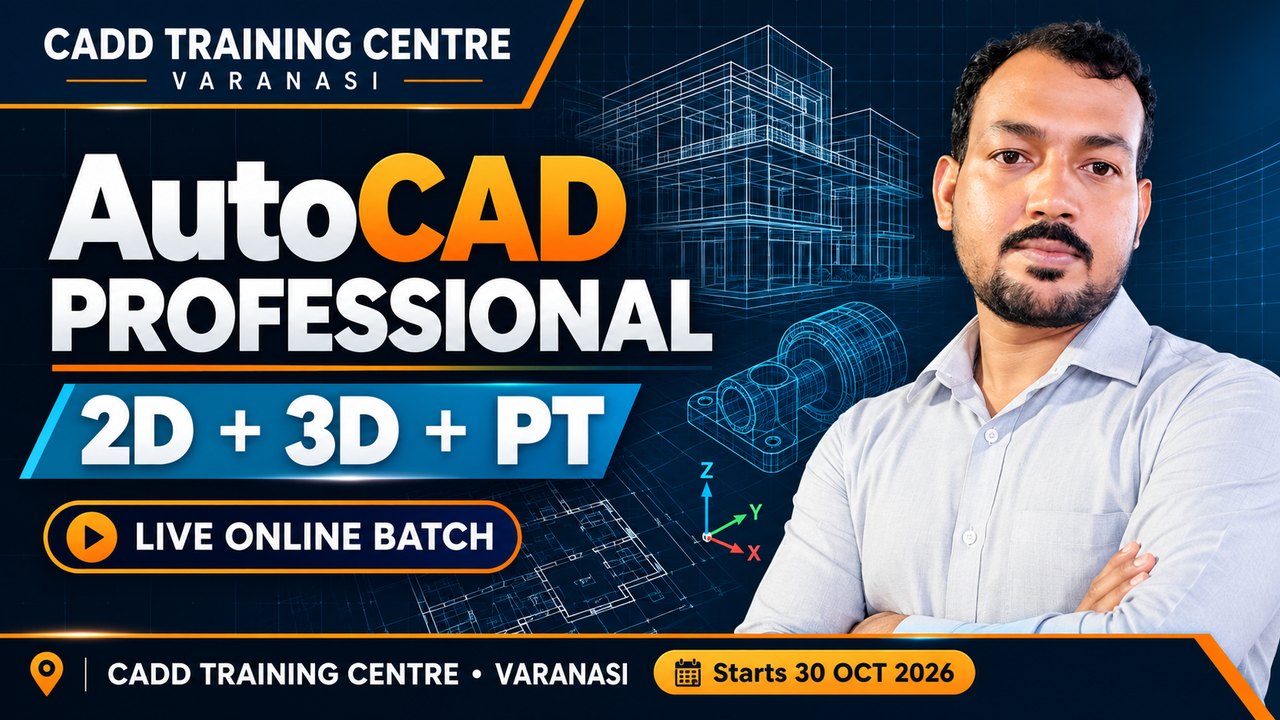
Yes. Live online batches are open now (AutoCAD Professional (2D+3D+PT) Course) -- instructor-led classes in the CADD app with recordings.
Will I get a certificate?
Yes. After the course exam you get a CADD Training Centre certificate that anyone can verify online.

_060419064118185460.jpg) Photoshop For Fashion Design
 CorelDRAW For Fashion Design
 Adobe Illustrator For Fashion Design
 Adobe InDesign for Fashion Design
 Optitex for Fashion Design
 TukaCAD for Fashion Design
 AutoCAD User (2D+3D)
 AutoCAD Associate (2D+3D)
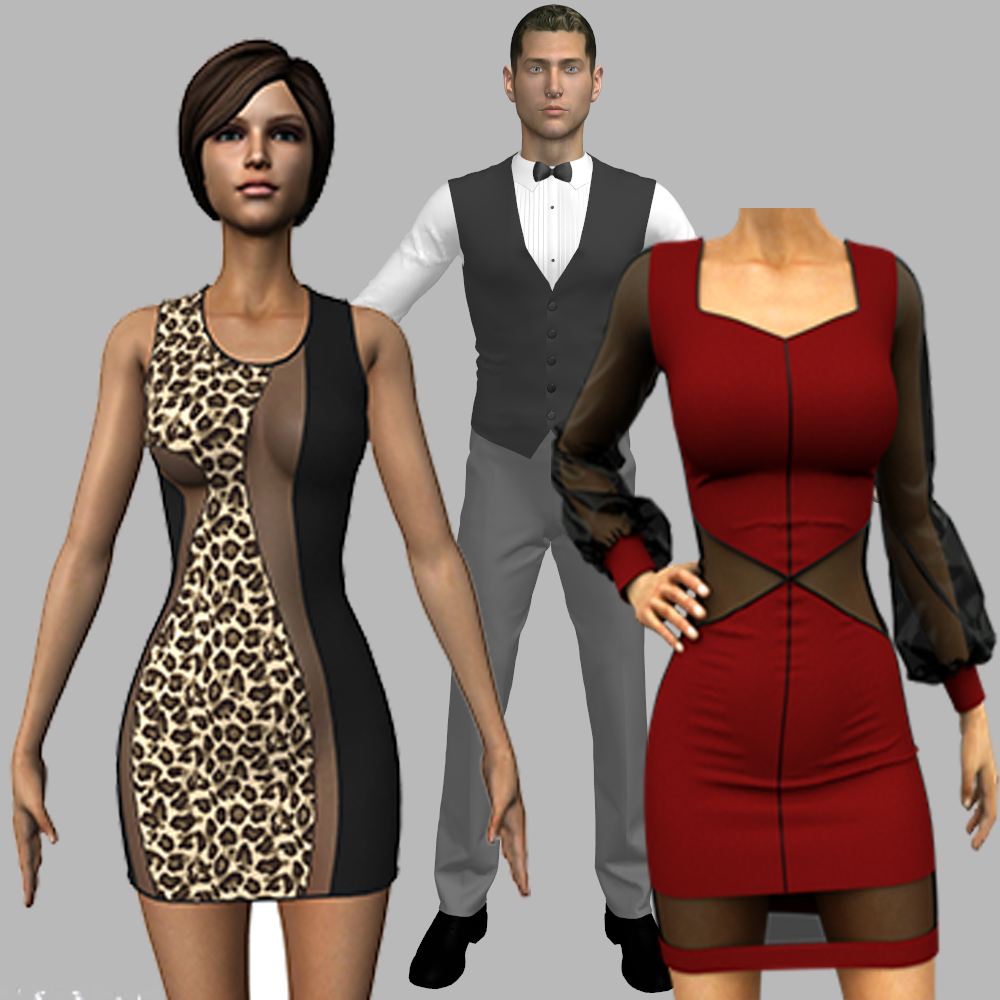 Marvelous Designer for Fashion Design
 AutoCAD Professional (2D+3D)