Associate levelIndependent exam · CADD Training Cetre

AutoCAD (2D & 3D) -- Associate Level

Proves you can draw, edit, dimension and plot 2D drawings and simple 3D models on your own -- the everyday skills of a CAD draughtsman.

50 minexam time
30 + 2questions + tasks
70%to pass
2attempts
☆ Newno ratings yet
AutoCAD

About this exam

A timed, invigilated exam in the CADD Desktop App: 30 questions + 2 practical tasks done in AutoCAD itself, 50 minutes.

Pass and get CADD Training Cetre's certificate, marksheet and a certified badge -- all verifiable online.

CADD Training Cetre's own independent test -- not the certification of the software's company.

Who can take it

  • Anyone who has learnt AutoCAD -- at any institute, online or on the job
  • Civil, mechanical, electrical and architecture students and draughtsmen
  • Students after a basic / associate course in AutoCAD
  • No course with us is needed

What you should know first

  • Basic computer use (files, folders, typing)
  • The basic tools of AutoCAD: Modify, Draw, Layers & properties
  • AutoCAD installed on your Windows computer -- the exam window opens it for the practical tasks

Ratings by candidates

--☆☆☆☆☆No ratings yet
5★0
4★0
3★0
2★0
1★0

Every candidate rates this exam when they submit it -- the average of all ratings will show here.

An independent, third-party examination
  • CADD Training Cetre is an independent, third-party examination body. We write our own tests and run them in our own test environment -- the CADD Desktop App with a live invigilator, or at our centres.
  • The certificate, marksheet and badge are issued by CADD Training Cetre only. We do not issue, sell or arrange the certificate of any software company or exam body, and we do not use their names on our certificates.
  • Some tests follow the pattern (levels, time, question types) of well-known industry exams, but they are not those exams and are not conducted on behalf of any software company.
  • Software names such as AutoCAD, Revit or SolidWorks are trademarks of their owners; we mention them only to say which software a test covers.

What you get when you pass

📜 CertificateWith a QR code -- anyone can verify it online
📊 MarksheetWith your score in the exam
🏅 Certified badgeShare on LinkedIn, Naukri and your CV

See the samples and the full roadmap →

Topics in the exam

ModifyDrawLayers & propertiesएनोटेशनDrawing setupBlocksLayouts & plottingUser interfaceडाइमेंशनिंगPrecision tools3D modellingCollaboration

Exam pattern

Time50 minutes, on the computer
सवाल30 (choice, matching, fill-in, picture questions…)
Practical tasks2 -- done in AutoCAD and uploaded
Pass marks70%
AttemptsOne exam fee = 2 attempts
WhereFrom home (CADD Desktop App) or at a centre
InvigilationLive: screen + camera; the exam pauses if your face is not seen

Your roadmap

  1. 1Book & payChoose online (home) or a centre, pick a slot and pay the exam fee online.
  2. 2Fill the formYour details and photo -- your Reg No and login come at once by e-mail.
  3. 3Write the examOpen the CADD Desktop App -> Exam Login. The invigilator lets you in; 50 minutes.
  4. 4ResultYour score is shown in your login; pass marks 70%.
  5. 5Certificate + marksheetCADD Training Cetre's certificate with a QR code and a marksheet with your score.
  6. 6सर्टिफ़ाइड बैजA verifiable badge for LinkedIn, Naukri and your CV.
  7. 7Next levelTake the next level of this exam, or a course to grow further.

What you will get -- samples

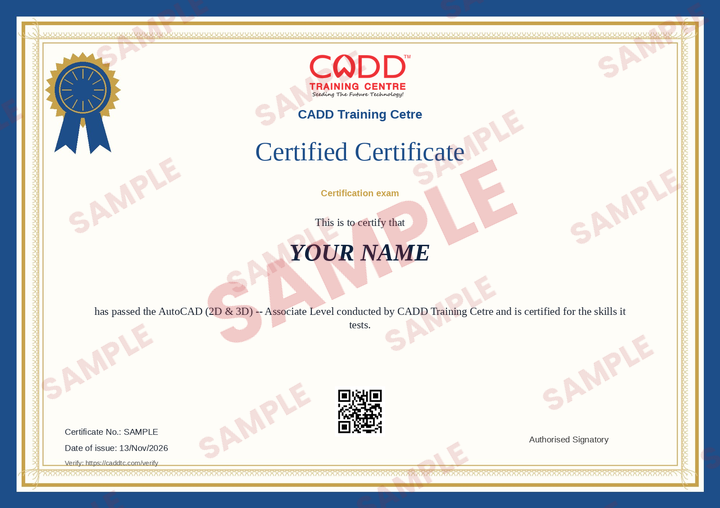
Sample certificate
सर्टिफिकेटYour name, this exam, a QR to verify
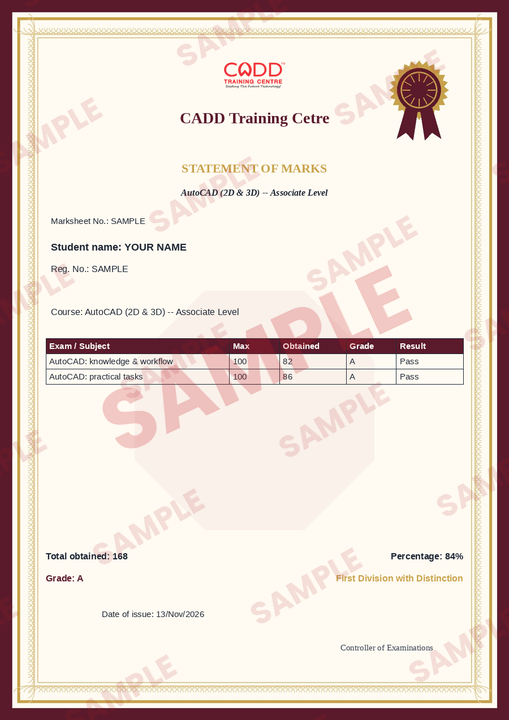
Sample marksheet
MarksheetYour score in the exam
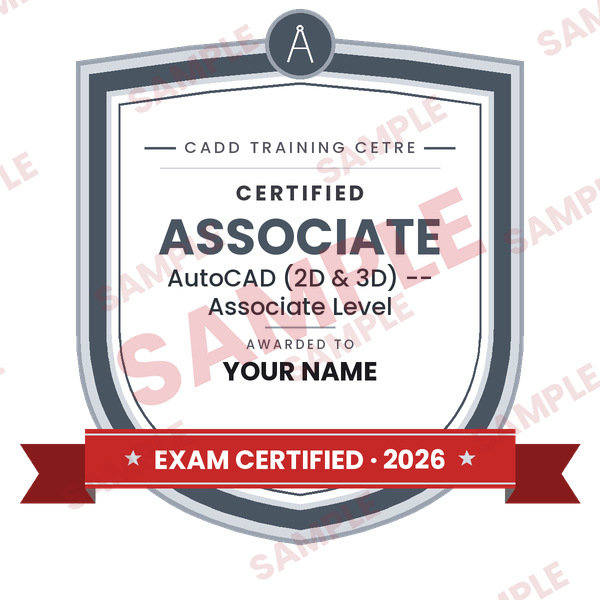
Sample certified badge
सर्टिफ़ाइड बैजFor LinkedIn, Naukri and your CV

Samples -- yours carry your own name, date and certificate number. Issued by CADD Training Cetre only (an independent examination body) -- not by any software company. Read more

Want to learn more first?

Join a course or live online class and come back for the exam. सॉफ्टवेयर ट्रेनिंग · लाइव ऑनलाइन क्लासेस

On the exam day

  • A laptop / desktop (Windows) with a working webcam and internet; the CADD Desktop App installed.
  • Your photo ID (Aadhaar / college ID / driving licence) to show on the camera.
  • Sit alone in a quiet, lit room. Your face must stay on the camera -- if it is not seen for 30 seconds the exam pauses.
  • Your whole screen is seen by the invigilator. No other window, phone or person.
  • Start from 15 minutes before your slot up to 45 minutes after it. A missed slot uses the fee.
  • You may change your slot once, until 24 hours before it.

Writing from home

  1. Install the free CADD Desktop App (Windows) and AutoCAD.
  2. At your slot, open the app → Exam Login → your Reg No / e-mail and password.
  3. Show your face and photo ID on the camera and share your screen; the invigilator lets you in.
  4. For the practical tasks use the tabs at the bottom of the exam window to open AutoCAD, and ◀ Back to the exam to return.
  5. Submit before the time ends -- your result shows in your login.

Questions people ask

Do I need to study with you to take this exam?

No. Anyone who has learnt the software -- at any institute, online or on the job -- can book the exam. You are not enrolled in a course.

Where do I write the exam?

From home on your Windows laptop / desktop in the free CADD Desktop App (webcam + internet), or at a centre on its computer with its invigilator -- you choose when you book.

How is it invigilated?

An invigilator lets you in, sees your screen and camera live and can pause the exam. If your face is not seen, the exam pauses by itself and the timer stops.

What if I fail?

One exam fee covers 2 attempts. Book the second attempt from your login.

When do I get the certificate?

When you pass, the certificate, marksheet and certified badge appear in your login -- download them and share the badge on LinkedIn. Anyone can verify them online with the QR code.

Can I change my slot?

Yes, once, until 24 hours before the slot -- from the booking page.

क्या फीस वापस होती है?

A missed slot uses the fee. For any problem with a booking, send an enquiry from this page.

Something else? Ask us.

Ask about this exam

Fee, slots, level, topics, the app -- ask anything about AutoCAD. We call or write back.