
DevOps इंजीनियर, AWS, Azure, GCP, साइट रिलायबिलिटी इंजीनियर roles के लिए job-ready CV बनाएँ — आपका field पहले से चुना है, इसलिए hints और suggestions आपके काम के हिसाब से आते हैं।
DevOps या क्लाउड इंजीनियरिंग CV में यह दिखना चाहिए कि आप सिस्टम को automate, deploy और लगातार चालू रख सकते हैं। रिक्रूटर Linux administration, shell scripting, Git, Jenkins या GitHub Actions के साथ CI/CD pipelines, Docker, Kubernetes और AWS, Azure या GCP पर hands-on काम देखते हैं। Terraform या Ansible से Infrastructure as Code और Prometheus व Grafana से monitoring CV को मज़बूत बनाते हैं। फ्रेशर्स शुरू से अंत तक बनाई गई एक pipeline, इस्तेमाल की गई cloud services और logs, rollback व access permissions संभालने का तरीका बताएं।
Aspiring DevOps engineer with practical skills in Linux, Docker, Jenkins and AWS, seeking an entry-level role to automate builds and deployments. Focused on reliable, secure infrastructure and on learning production operations from an experienced team.
इसे अपने शब्दों में बदलें — builder एक click में इसे भर देता है।
Builder को आपका field पता है: skills, objective और project ideas बस एक click दूर हैं। 100% ad-free।
मेरी CV शुरू करें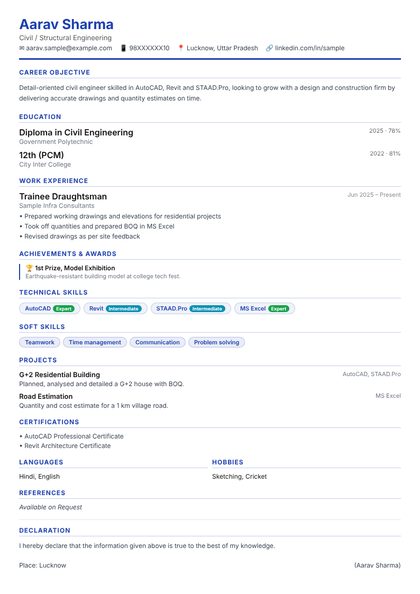 यह design लें
Classic Blue
 यह design लें
Modern Sidebar
 यह design लें
Executive Serif
 यह design लें
Bold Banner
 यह design लें
Corporate Grey
 यह design लें
Teal Minimal
 यह design लें
Red Bold
 यह design लें
Navy & Gold
 यह design लें
Fresh Green
 यह design लें
Purple Pro
 यह design लें
Two Column
 यह design लें
Orange Creative
 यह design लें
Infographic
 यह design लें
Dark Professional
 यह design लें
Mono Tech
 ⭐ प्रीमियमयह design लें
Ivy League
 ⭐ प्रीमियमयह design लें
Executive Navy
 ⭐ प्रीमियमयह design लें
Career Timeline
 ⭐ प्रीमियमयह design लें
Monogram
 ⭐ प्रीमियमयह design लें
Split Header
 ⭐ प्रीमियमयह design लें
Nordic Minimal
 ⭐ प्रीमियमयह design लें
Euro Grid
 ⭐ प्रीमियमयह design लें
Gulf Professional
 ⭐ प्रीमियमयह design लें
Accent Stripe
 ⭐ प्रीमियमयह design लें
Engineer Blueprint
209 professions में से अपनी job चुनें — boxes, hints और suggestions उसी के हिसाब से आते हैं।
25 professional designs: 15 standard और 10 premium international designs (Ivy League, Executive Navy, Euro Grid, Gulf Professional ...)।
Personal details, objective, education, experience, skills, projects, achievements — हर box के नीचे hint के साथ।
लिखते-लिखते CV live दिखती है। एक बार unlock करें और print-ready PDF जितनी बार चाहें download करें।
DevOps इंजीनियर roles के लिए छोटा career objective, education, आपके software और technical skills (Linux administration, Bash scripting, Git, Jenkins / GitHub Actions, Docker), projects, internship या experience, और certifications।
ज़्यादातर companies के लिए Classic Blue, Corporate Grey और Executive Serif सुरक्षित हैं; design और creative roles के लिए Modern Sidebar और Infographic अलग दिखते हैं। Design कभी भी बदलें — text वैसा ही रहता है।
हाँ। Work experience खाली छोड़ें और projects, training और skills पहले रखें — हर box के नीचे English और Hinglish में hint मिलता है।
CV बनाना, बदलना और preview देखना free है — और 100% ad-free। PDF download के लिए एक plan चुनें: ₹49 में 2 CVs, ₹199 में 1 महीने unlimited CVs, या ₹499 में 1 साल unlimited CVs। हर unlock हुई CV हमेशा आपकी रहती है — plan खत्म होने के बाद भी जितनी बार चाहें बदलें और download करें।
